
Real Estate snapshot mini-course
Six short visual lessons. Follow along in your own GoHighLevel account and you’ll be live by lesson 6.
Install and brand the real estate snapshot
Lesson 2Capture buyer and seller leads instantly
Lesson 3Book consultations and cut no-shows
Lesson 4From consultation to signed agreement
Lesson 5Reviews, referrals and your sphere
Lesson 6Launch seller conversion and home anniversaries
Install and brand the real estate snapshot
Get the snapshot into the agent's sub-account and branded with their name, brokerage and market.
- Import the snapshot link, then go to Account Snapshots > Imported Snapshots and push it to the agent's sub-account.
- Open Settings > Business Profile and add the agent or team name, brokerage, logo and time zone.
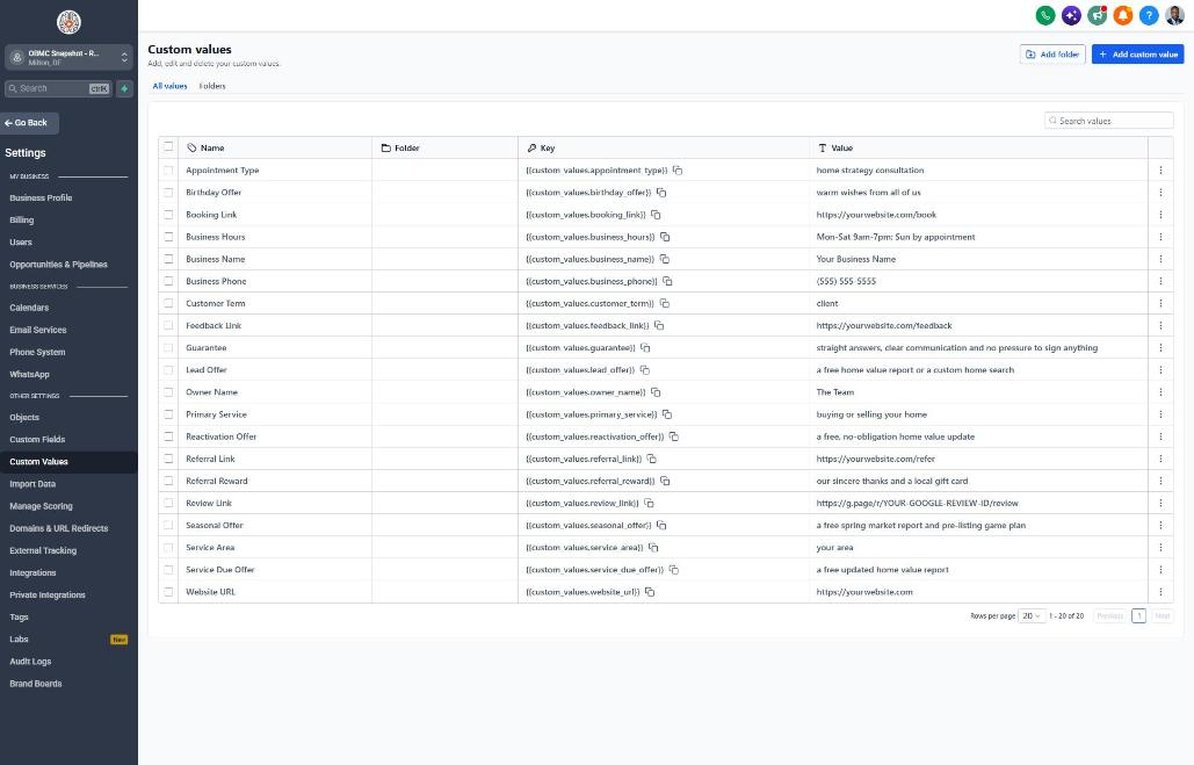
- Go to Settings > Custom Values and fill in the agent's name, phone, booking link and service area.
- Add the brokerage name, license number and Equal Housing Opportunity statement to the email signature.
- Confirm the lead offer and referral reward fit the agent's state rules and brokerage policy.
Capture buyer and seller leads instantly
Make sure every web, portal and missed-call lead gets an instant, personal response.
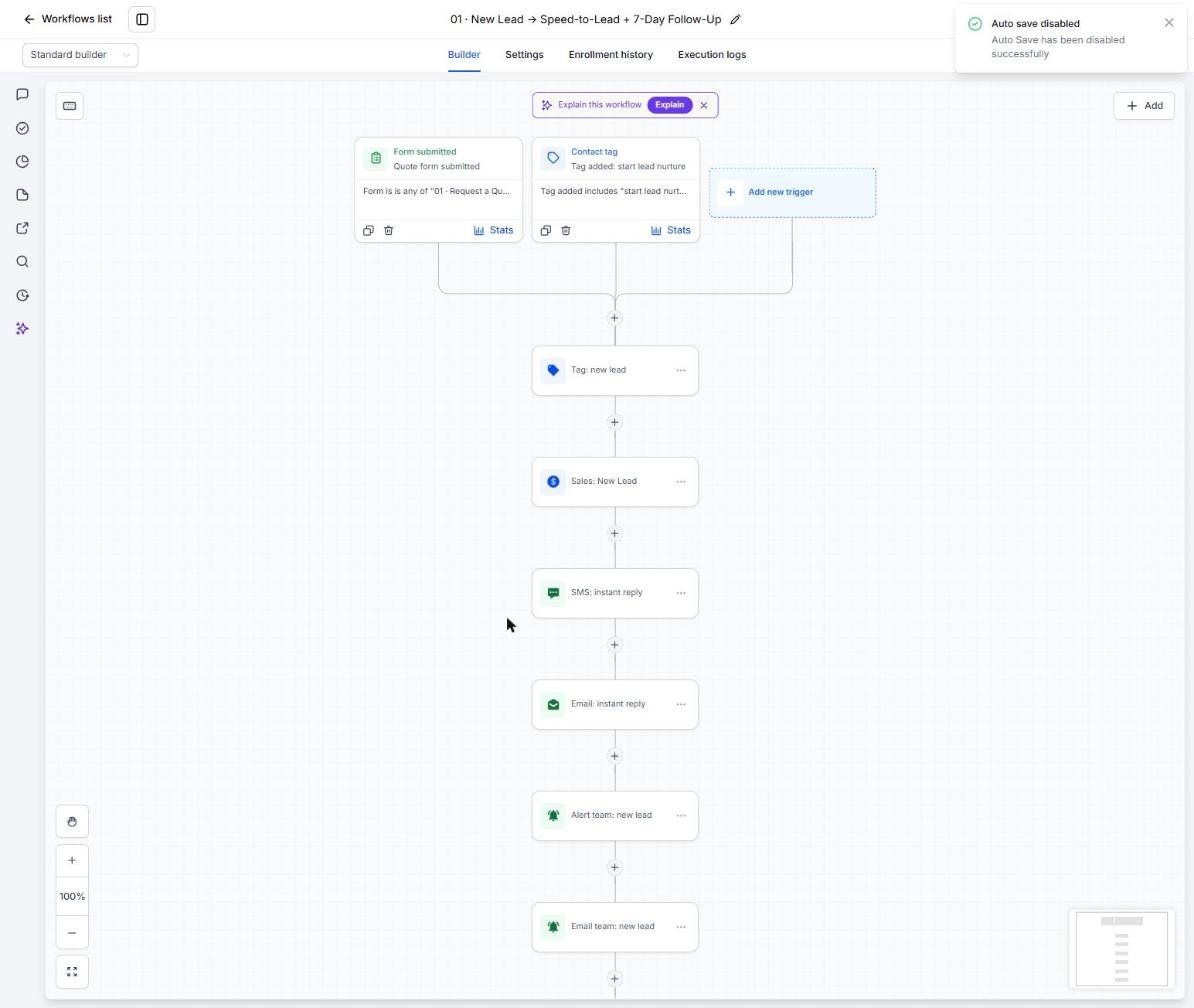
- Go to Sites > Forms > Builder and review the lead form fields.
- Embed the form on the agent's website or IDX pages.
- Route Zillow, Realtor.com and other portal leads into GHL with Zapier or email parsing.
- Open Automation > Workflows > 01 and set the new-lead alert to the agent's phone.
- Submit a test lead and check Conversations for the instant text and email.
Book consultations and cut no-shows
Set up the consultation calendar so booked leads actually show up.
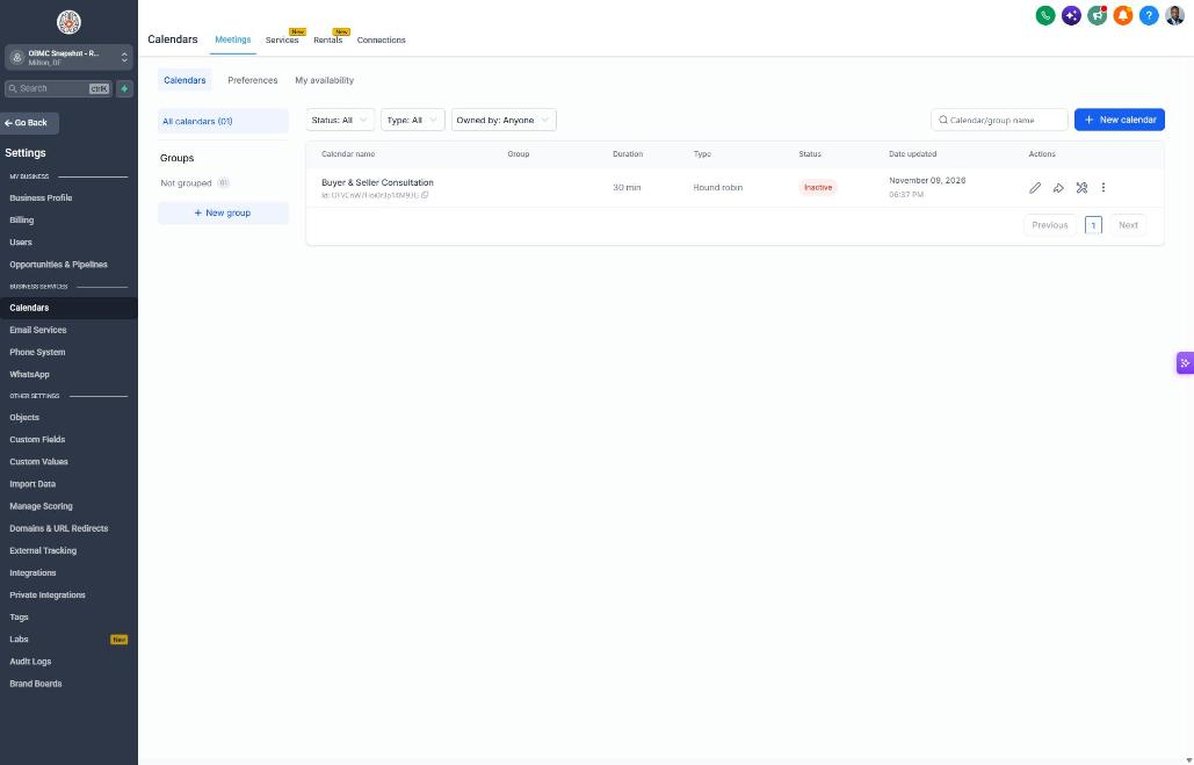
- Go to Calendars > Calendar Settings and edit Buyer & Seller Consultation.
- Set availability around showings and add a video meeting option.
- Copy the booking link into the booking_link custom value.
- Open workflow 04 and review the buyer and seller prep checklist in the confirmation.
- Open workflow 05 and confirm the no-show recovery offers a phone or video option.
From consultation to signed agreement
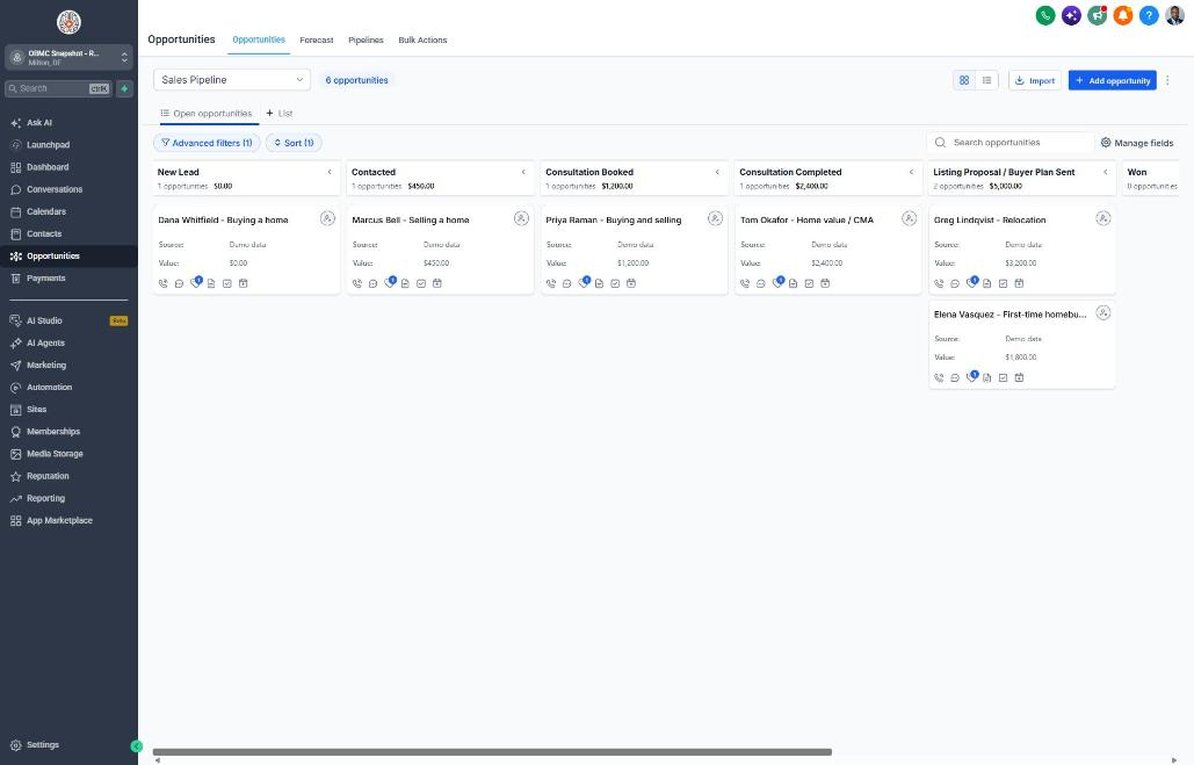
Use the Sales Pipeline to move every lead from consultation to a signed listing or buyer agreement.
- Go to Opportunities > Pipelines and walk through Consultation Booked, Consultation Completed and Listing Proposal / Buyer Plan Sent.
- Send the proposal within 24 hours of each consultation, as workflow 06 reminds you.
- Move the card to Listing Proposal / Buyer Plan Sent to start workflow 07.
- Move cards to Won when the agreement is signed to trigger the welcome in workflow 08.
- Watch workflow 18 alerts so no lead sits untouched for a week.
Reviews, referrals and your sphere
Turn closings into reviews and referrals and restart conversations with old leads and past clients.
- Go to Settings > Integrations and connect the Google Business Profile.
- Confirm the review link in Reputation > Settings and the review_link custom value.
- Import past clients and old leads under Contacts with their Closing Date where known.
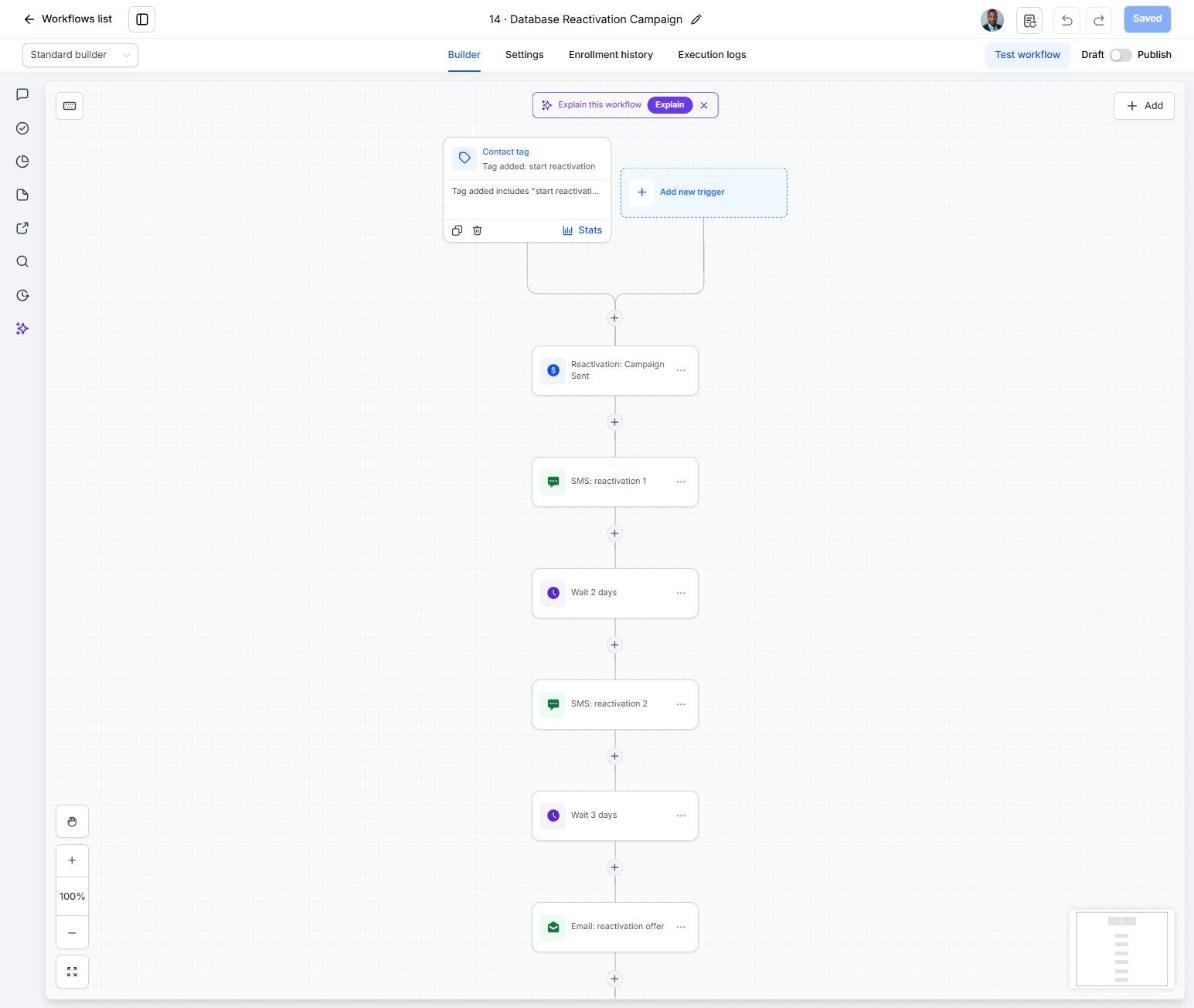
- Tag old leads and sphere contacts 'start reactivation' to launch workflow 14.
- Work replies from the Reactivation pipeline and Conversations.
Launch seller conversion and home anniversaries
Go live with the home value request sequence and annual nurture, then track what produces listings.
- Confirm valuation requests are tagged 'niche campaign' so workflow 21 starts automatically.
- Set an annual date trigger on Closing Date that tags past clients 'service due' for workflow 19.
- Schedule the spring seller campaign in workflow 20 for January.
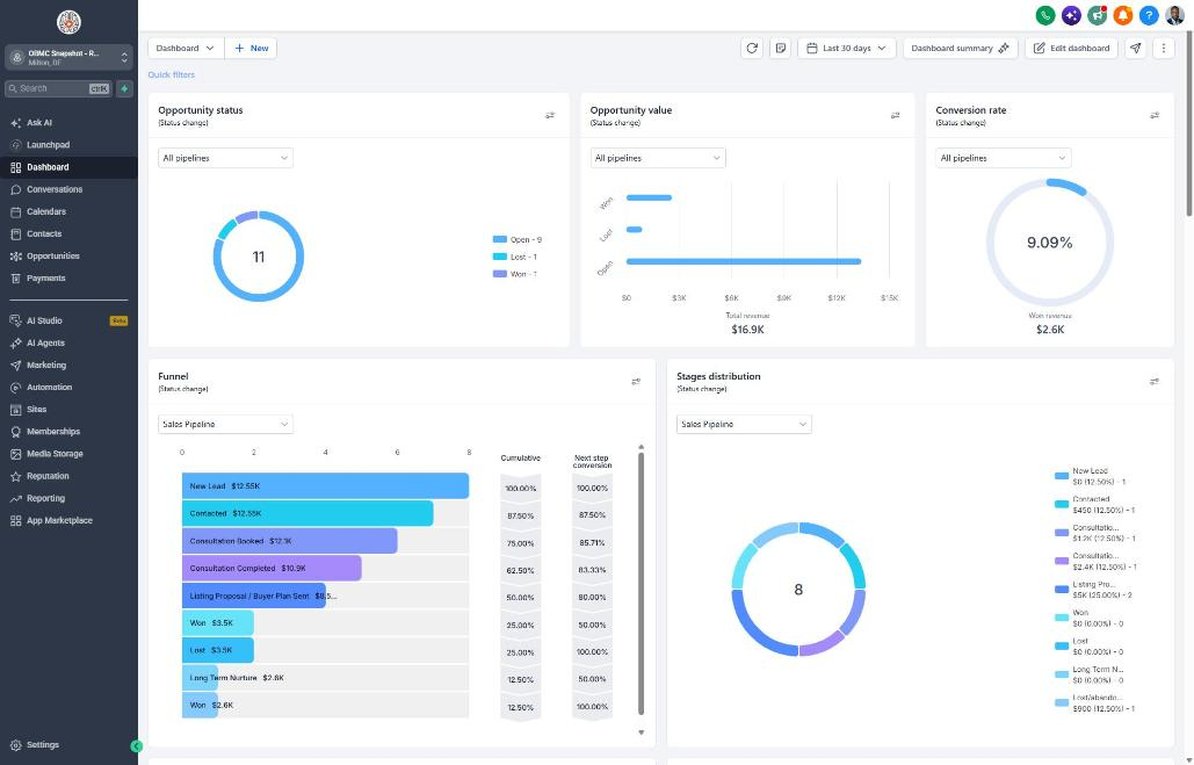
- Review the Dashboard monthly for appointments set, agreements signed and new reviews.
- Compare lead sources and shift ad spend toward the ones that produce listing appointments.
Launch your next real estate client this week
One-time $397. Includes the snapshot, both PDFs, the walkthrough and the mini-course. Or get all 20 niches for $1,997.