
🔑 GoHighLevel snapshot · Mortgage Brokers & Loan Officers
Mortgage snapshot mini-course
Six short visual lessons. Follow along in your own GoHighLevel account and you’ll be live by lesson 6.
Lesson 1
Install and brand the mortgage snapshot
Lesson 2Capture leads and respond in seconds
Lesson 3Book strategy calls and cut no-shows
Lesson 4From application to closing
Lesson 5Reviews, referrals and your database
Lesson 6Launch rate watch and loan anniversaries
Lesson 1 of 6
Install and brand the mortgage snapshot
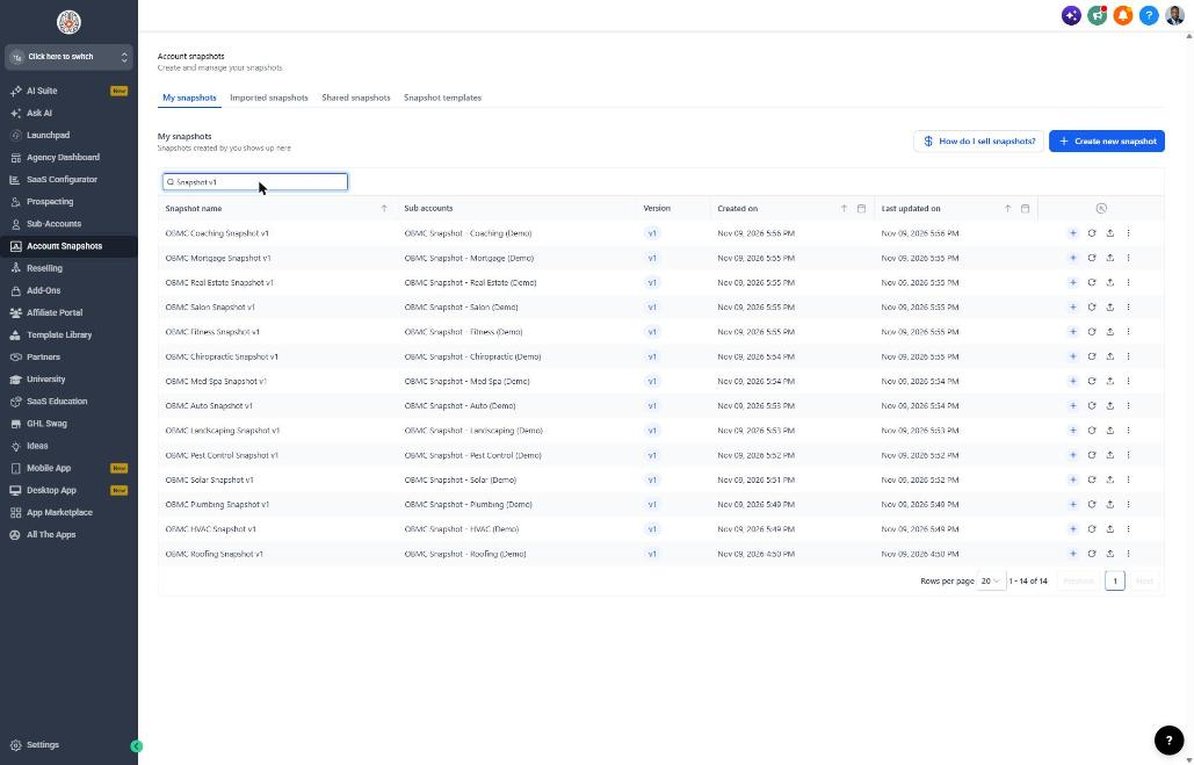
Get the snapshot into the loan officer's sub-account with the right branding and disclosures.
- Import the snapshot link, then go to Account Snapshots > Imported Snapshots and push it to the loan officer's sub-account.
- Open Settings > Business Profile and add the company name, logo, address and time zone.
- Go to Settings > Custom Values and fill in the loan officer's name, phone, booking link and service area.
- Add NMLS IDs and the Equal Housing statement to the email signature.
- Send the workflow copy to the lender's compliance team for approval.
Lesson 2 of 6
Capture leads and respond in seconds
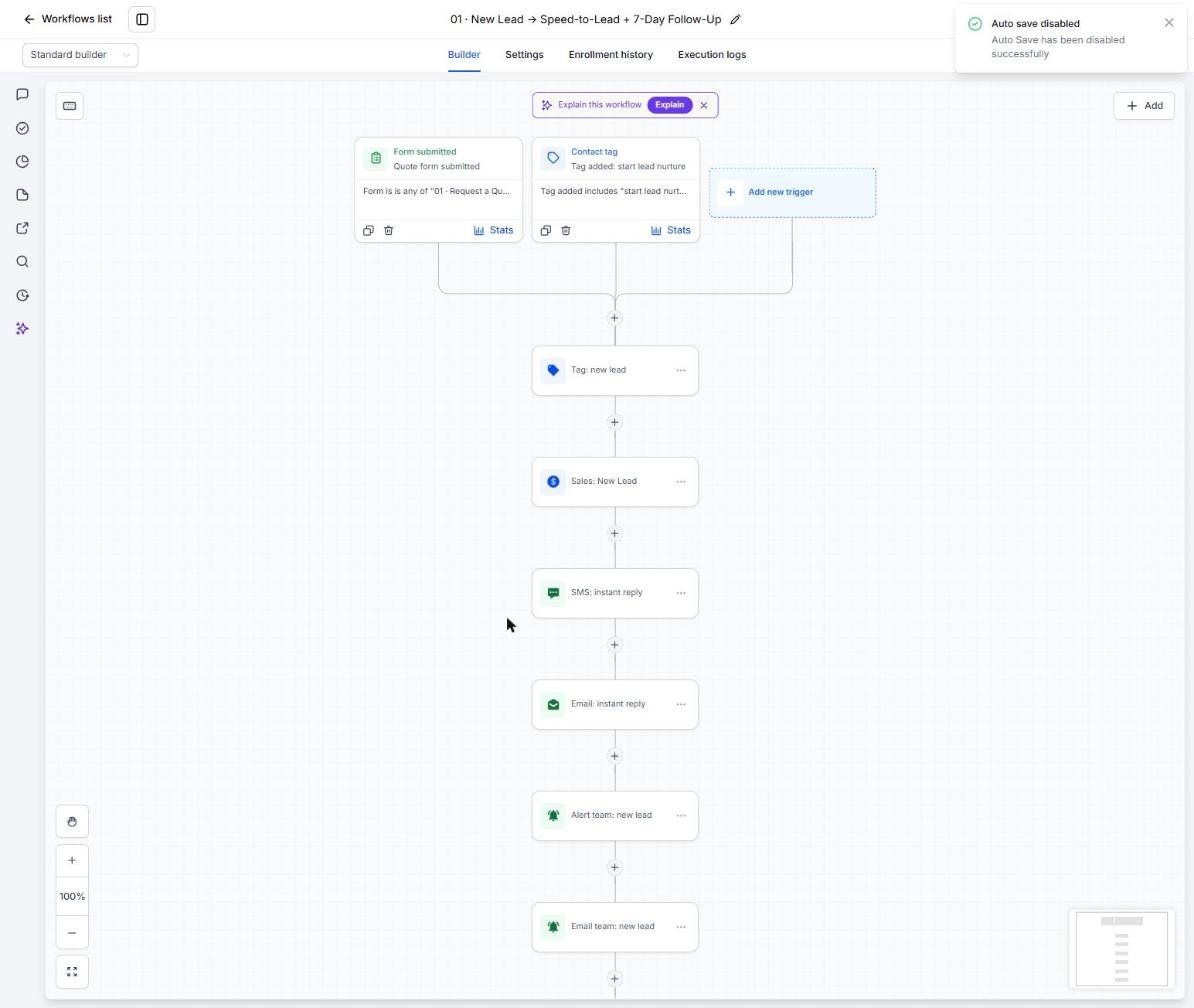
Make sure every web lead, referral and missed call gets an instant, compliant response.
- Go to Sites > Forms > Builder and review the lead form, including Loan Purpose and Referring Agent.
- Embed the form on the website and create a tracked link for each realtor partner.
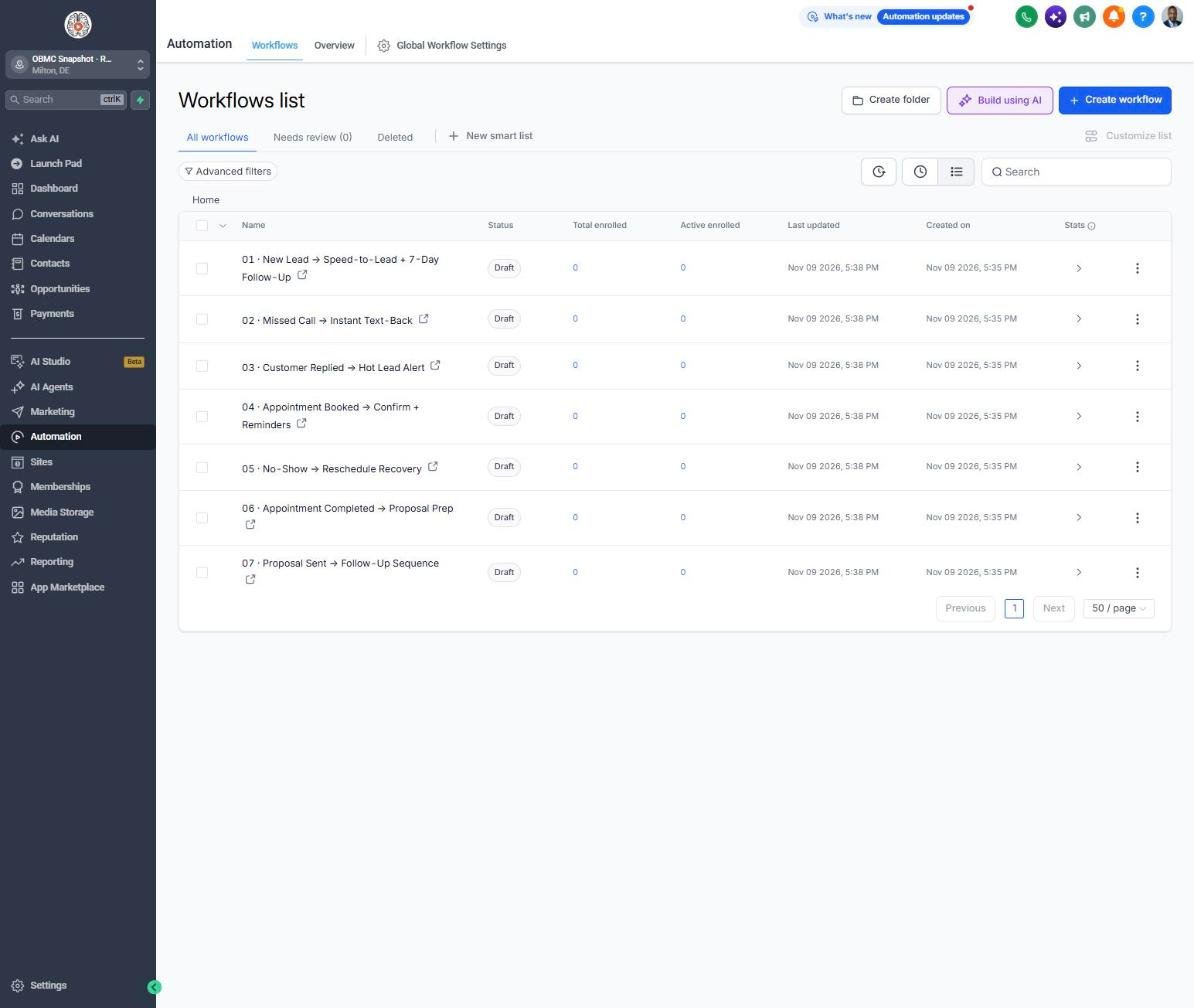
- Open Automation > Workflows > 01 and set the new-lead alert to the loan officer.
- Open workflow 02 and confirm the missed-call text-back is published.
- Submit a test lead and check Conversations for the instant text and email.
Lesson 3 of 6
Book strategy calls and cut no-shows
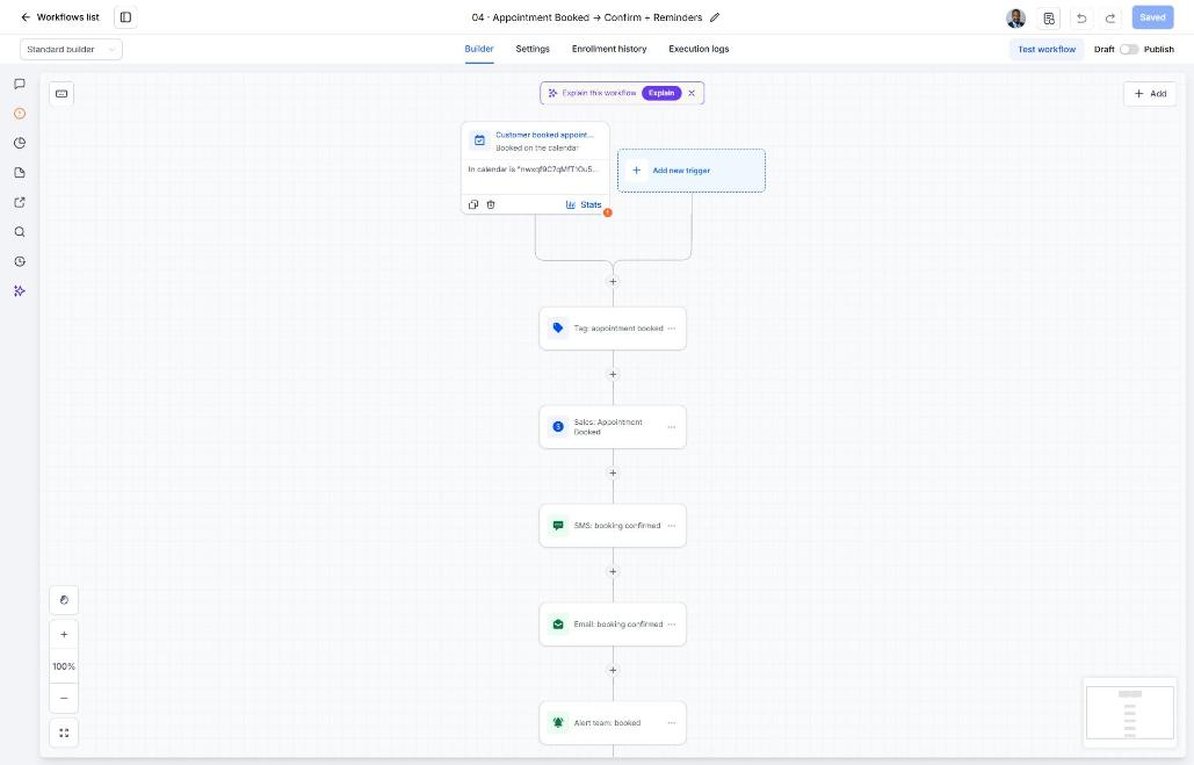
Set up the strategy call calendar so booked leads actually get on the phone.
- Go to Calendars > Calendar Settings and edit Pre-Approval Strategy Call.
- Set availability with some evening times and add a phone or video option.
- Copy the booking link into the booking_link custom value.
- Open workflow 04 and review what borrowers are asked to have handy.
- Open workflow 05 and confirm the no-show recovery links to the calendar.
Lesson 4 of 6
From application to closing
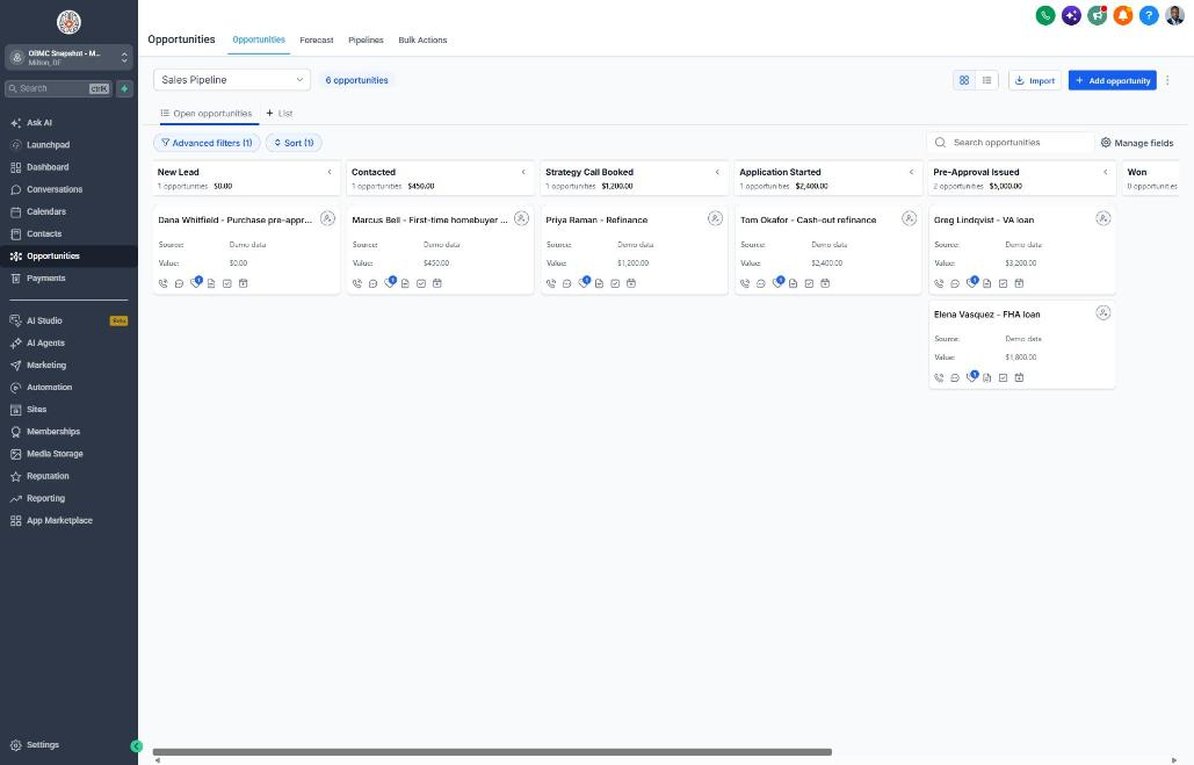
Use the pipelines to keep every borrower moving from application to Closed / Funded.
- Go to Opportunities > Pipelines and walk through Strategy Call Booked, Application Started and Pre-Approval Issued.
- Move cards to Pre-Approval Issued to start the home-search check-ins in workflow 07.
- Move cards to Won when the buyer goes under contract to send the closing road map in workflow 08.
- Track processing, underwriting and Closed / Funded in the loan journey pipeline.
- Use workflow 18 alerts to catch pre-approvals nobody has checked on in a week.
Lesson 5 of 6
Reviews, referrals and your database
Turn closings into reviews and referrals and restart conversations with old leads and past clients.
- Go to Settings > Integrations and connect the Google Business Profile.
- Confirm the review link in Reputation > Settings and the review_link custom value.
- Open workflow 13 and make sure realtor referral alerts go to the loan officer's phone.
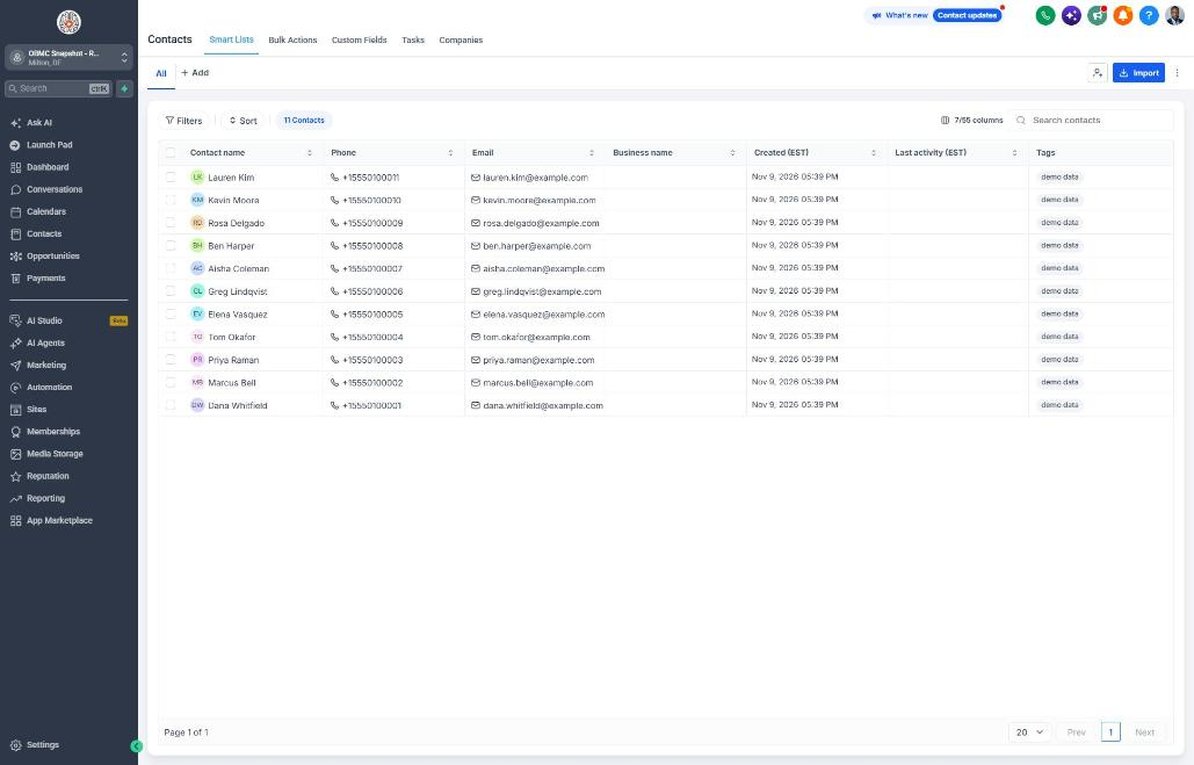
- Import past clients with Loan Closing Date and Current Interest Rate under Contacts.
- Tag old leads 'start reactivation' to launch workflow 14 and work replies in Conversations.
Lesson 6 of 6
Launch rate watch and loan anniversaries
Go live with refinance alerts and annual checkups, and track what produces closings.
- Build a smart list of past clients segmented by Current Interest Rate.
- When rates move meaningfully, tag the right segment 'niche campaign' to trigger workflow 21.
- Set a yearly date trigger on Loan Closing Date that tags clients 'service due' for workflow 19.
- Schedule the spring homebuyer campaign in workflow 20 for January.
- Review the Dashboard monthly for applications, pre-approvals, closings and referrals by partner.
Launch your next mortgage client this week
One-time $397. Includes the snapshot, both PDFs, the walkthrough and the mini-course. Or get all 20 niches for $1,997.