
🦴 GoHighLevel snapshot · Chiropractic Clinics
Chiropractic snapshot mini-course
Six short visual lessons. Follow along in your own GoHighLevel account and you’ll be live by lesson 6.
Lesson 1
Install and brand the chiropractic snapshot
Lesson 2Capture new patients and respond in seconds
Lesson 3Book exams and cut no-shows
Lesson 4Move patients from exam to care plan
Lesson 5Reviews, referrals and inactive patients
Lesson 6Launch care-plan recovery and optimize
Lesson 1 of 6
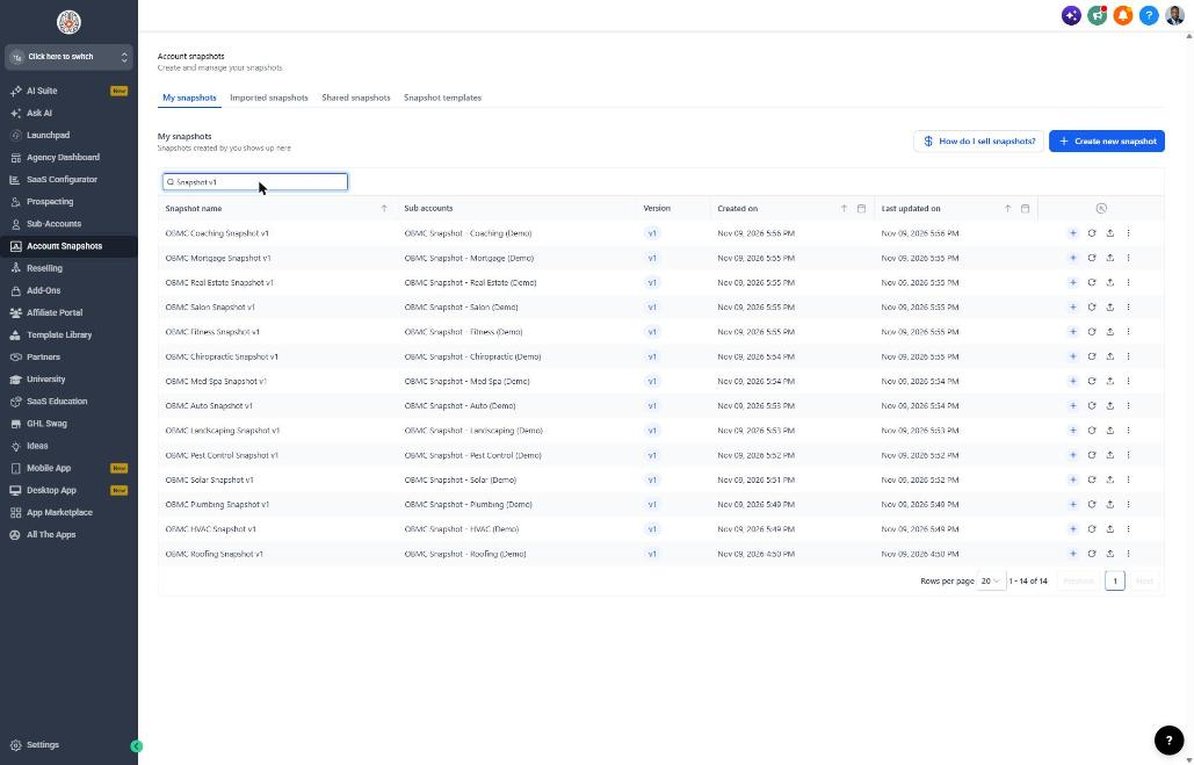
Install and brand the chiropractic snapshot
Get the snapshot into the clinic's sub-account and branded with the clinic's details and offers.
- Import the snapshot link, then go to Account Snapshots > Imported Snapshots and push it to the clinic's sub-account.
- Open Settings > Business Profile and add the clinic name, logo, address and time zone.
- Go to Settings > Custom Values and fill in the doctor's name, phone, booking link and service area.
- Confirm the new-patient, returning-patient and seasonal offers with the clinic and update those custom values.
- If the clinic will store PHI, enable the HIPAA option and get the BAA signed before going further.
Lesson 2 of 6
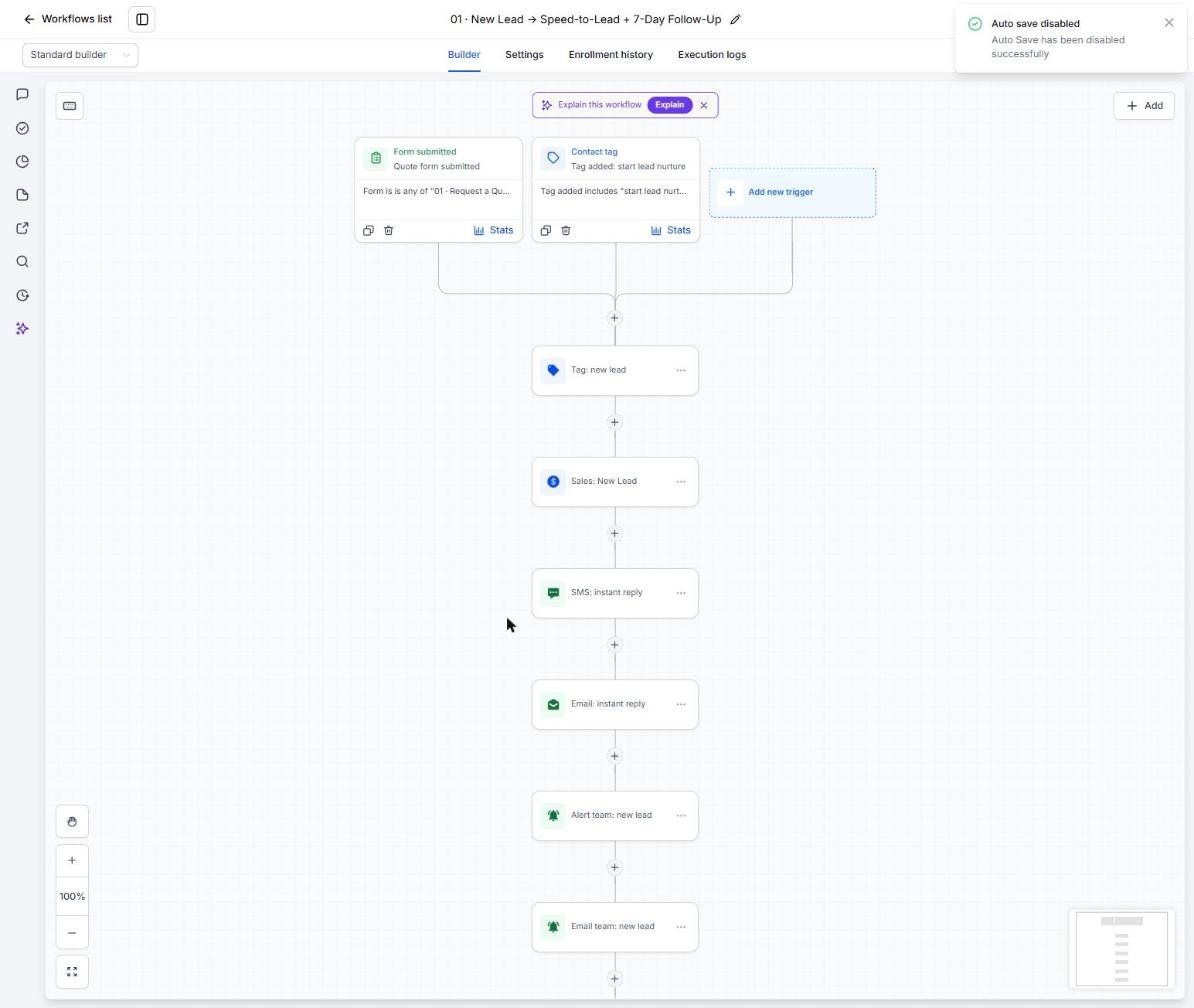
Capture new patients and respond in seconds
Make sure every web lead and missed call gets an instant, HIPAA-aware response.
- Go to Sites > Forms > Builder and review the New Patient Request form fields.
- Embed the form on the clinic website and connect any Facebook lead ad forms.
- Open Automation > Workflows > 01 and set the team alert to the front desk manager.
- Open workflow 02 and confirm the missed-call text-back is published.
- Submit a test lead and check Conversations for the instant text and email.
Lesson 3 of 6
Book exams and cut no-shows
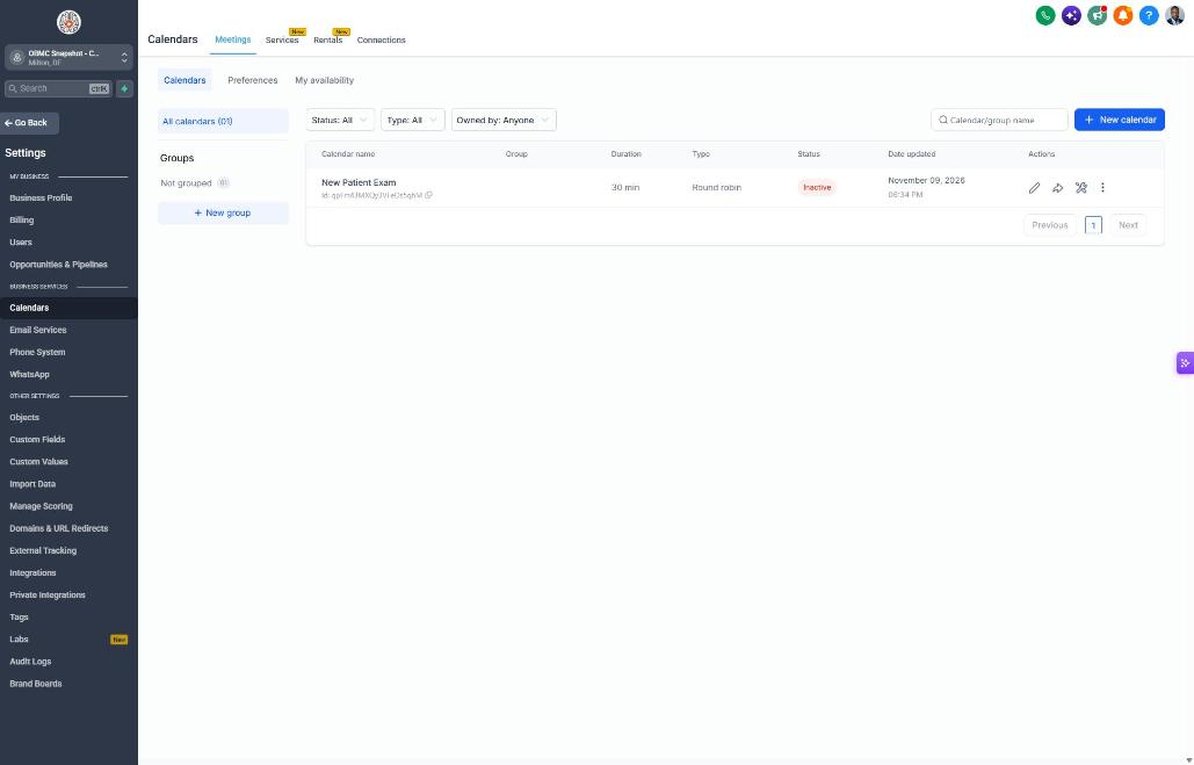
Set up the New Patient Exam calendar so booked exams actually show up.
- Go to Calendars > Calendar Settings and edit the New Patient Exam calendar.
- Assign the doctors and set availability to match the clinic's new-patient blocks.
- Copy the booking link into the booking_link custom value.
- Open workflow 04 and review the confirmation, 24-hour and 2-hour reminders.
- Open workflow 05 and confirm the no-show recovery texts point to the booking link.
Lesson 4 of 6
Move patients from exam to care plan
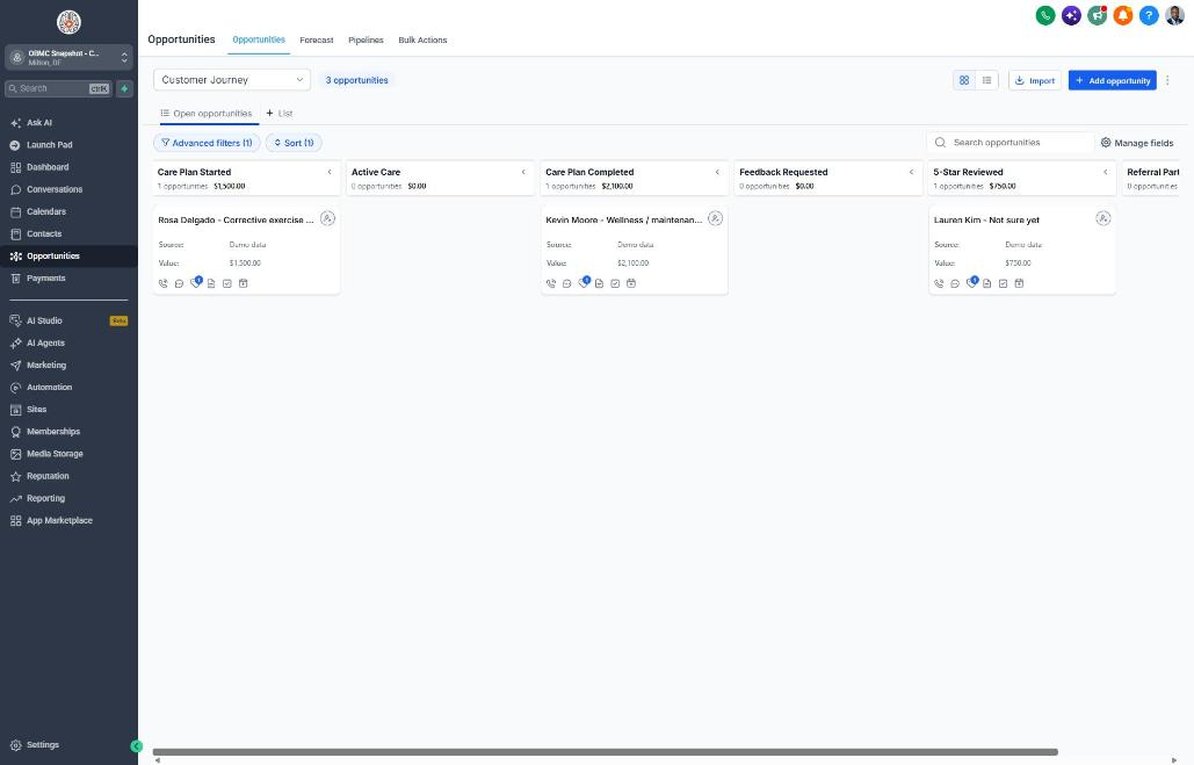
Use the Sales Pipeline to track every new patient from exam to accepted care plan.
- Go to Opportunities > Pipelines and walk through New Patient Exam Booked, Exam Completed and Care Plan Presented.
- Show the front desk how to move a card to Care Plan Presented after the report of findings.
- Review workflow 07 so care-plan follow-ups cover scheduling, insurance and payment questions.
- Move a card to Won when the patient starts care to trigger the welcome in workflow 08.
- Check workflow 18 alerts so no prospect sits untouched for a week.
Lesson 5 of 6
Reviews, referrals and inactive patients
Turn happy patients into reviews and referrals, and bring inactive patients back.
- Go to Settings > Integrations and connect the Google Business Profile.
- Confirm the review link in Reputation > Settings and in the review_link custom value.
- Open workflow 11 and assign who receives private 1-3 star feedback.
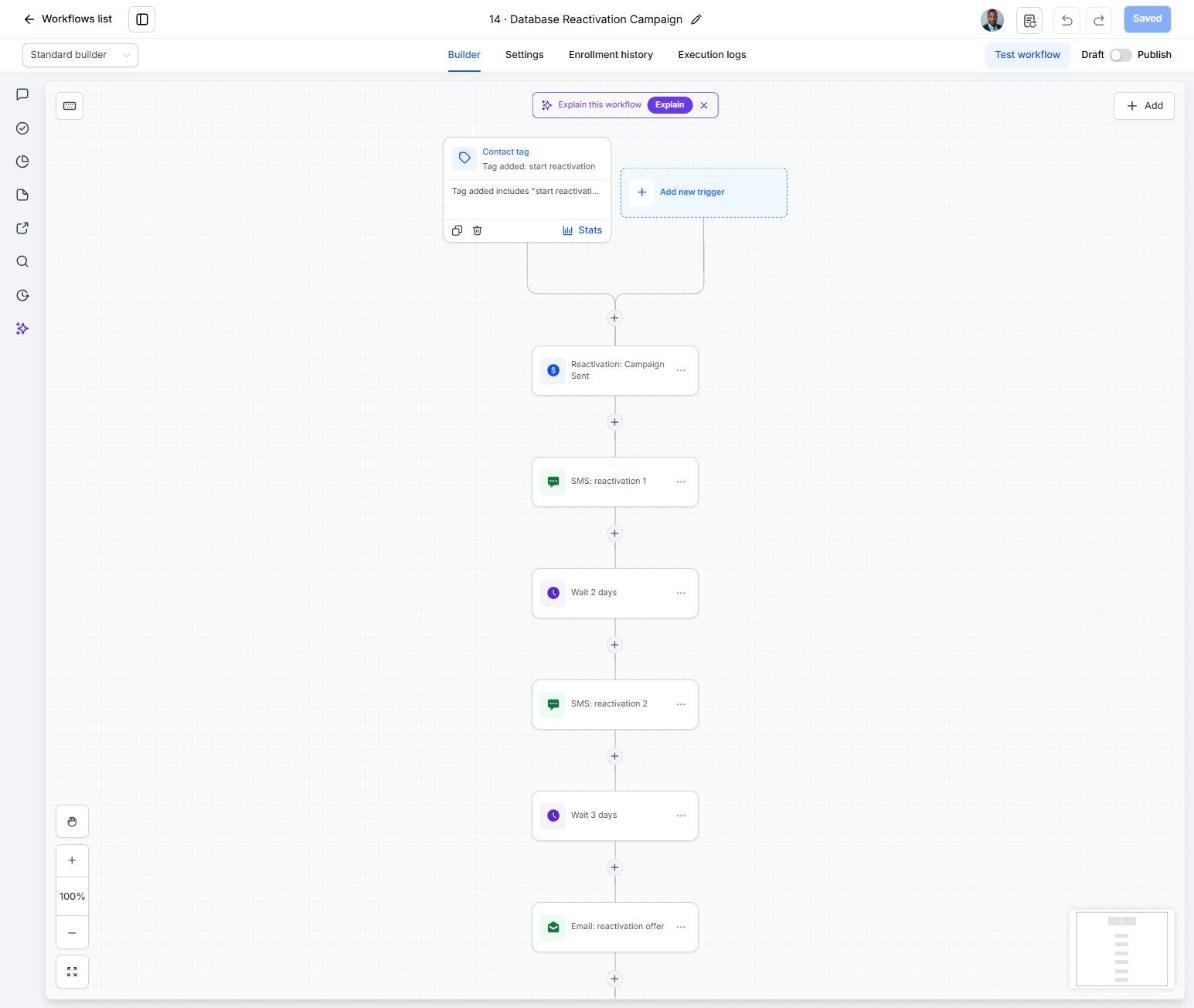
- Export inactive patients from the EHR, import them under Contacts and tag them 'start reactivation'.
- Watch replies come into the Reactivation pipeline and book them from Conversations.
Lesson 6 of 6
Launch care-plan recovery and optimize
Go live with missed-visit recovery and track the numbers that matter to the clinic.
- Agree with the front desk on a daily routine to tag missed visits 'niche campaign', or connect the EHR via Zapier.
- Open workflow 21 and confirm the copy and timing match the clinic's visit schedule.
- Set up a smart list for wellness patients and tag them 'service due' at the doctor's recommended interval.
- Schedule the year-end HSA/FSA campaign for late October.
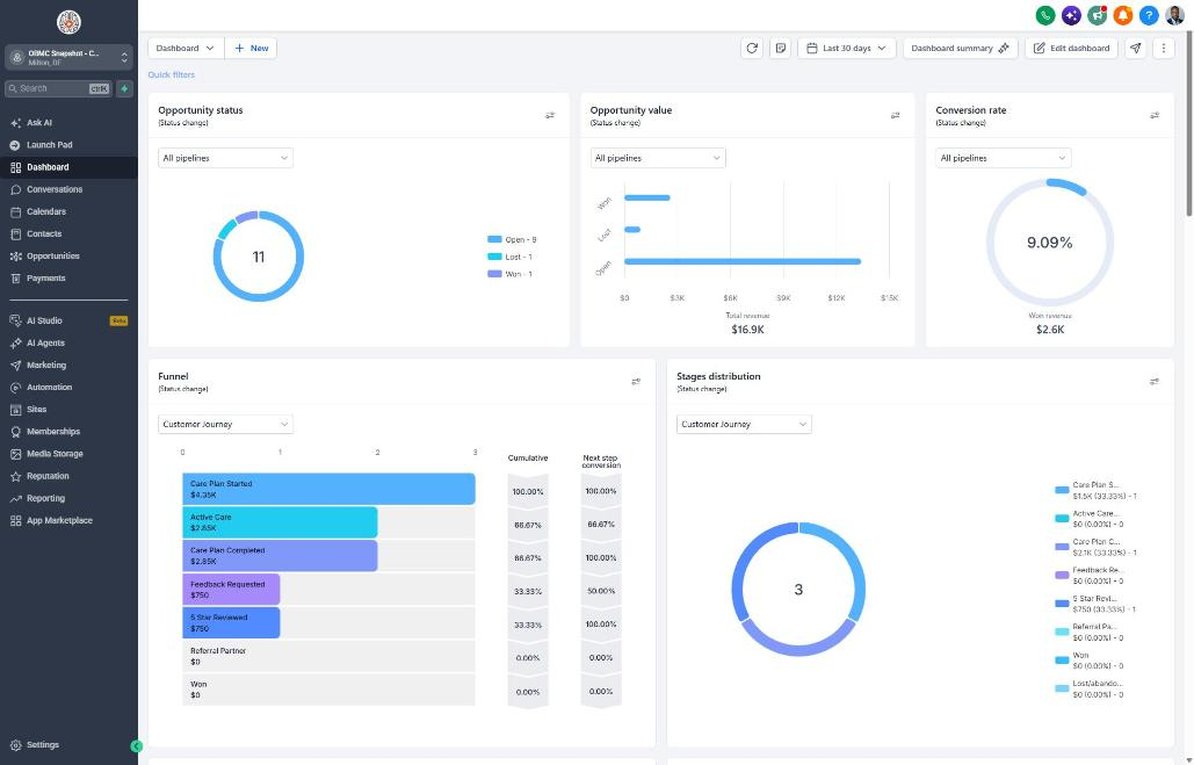
- Review the Dashboard monthly for exams booked, show rate, care-plan acceptance and new reviews.
Launch your next chiropractic client this week
One-time $397. Includes the snapshot, both PDFs, the walkthrough and the mini-course. Or get all 20 niches for $1,997.