
🛡️ GoHighLevel snapshot · Insurance Agencies (P&C and Life)
Insurance snapshot mini-course
Six short visual lessons. Follow along in your own GoHighLevel account and you’ll be live by lesson 6.
Lesson 1
Install the Snapshot and Brand It for Your Agency
Lesson 2Capture Quote Requests and Respond in Moments
Lesson 3Book Coverage Reviews and Recover No-Shows
Lesson 4Work the Quote Pipeline and Follow Up Until Bound
Lesson 5Reviews, Referrals, and Reactivating Your Book
Lesson 6Launch Renewals and Account Rounding
Lesson 1 of 6
Install the Snapshot and Brand It for Your Agency
Load the snapshot and make every message sound like your agency.
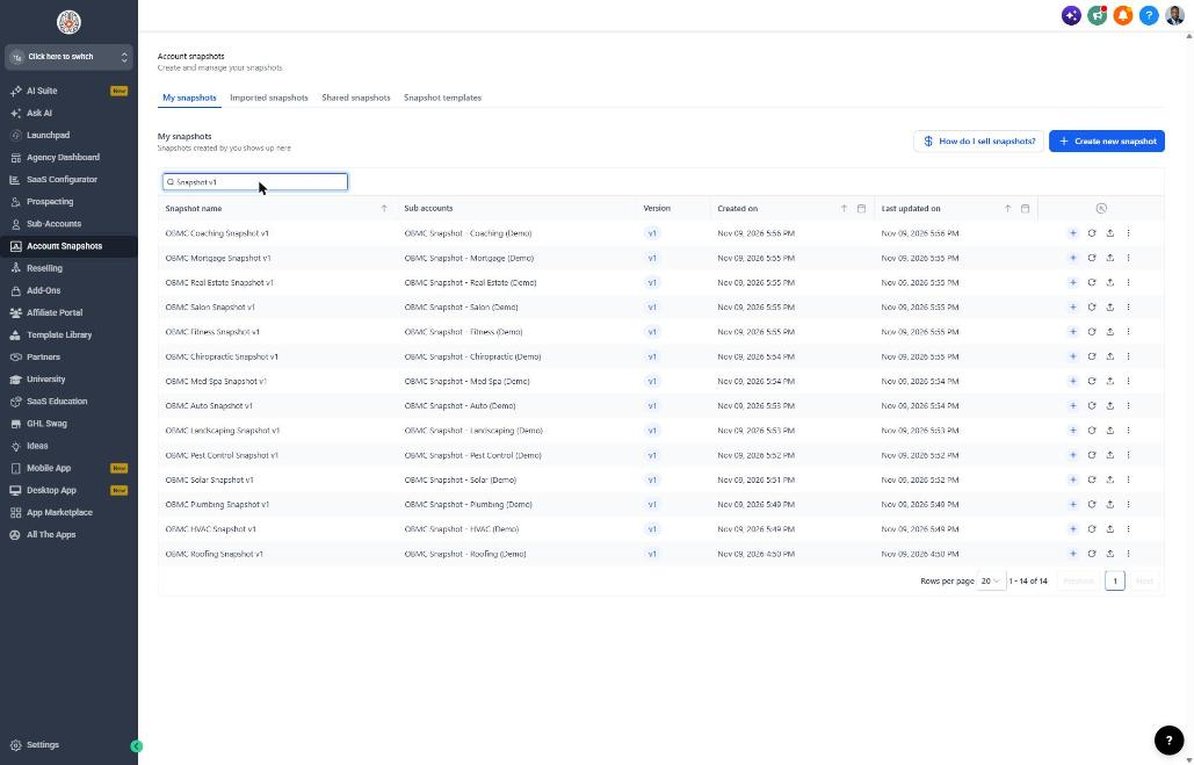
- Go to Agency view > Account Snapshots and load the OBMC Insurance snapshot into the client's sub-account
- Open Settings > Business Profile and set the agency name, address, and correct time zone
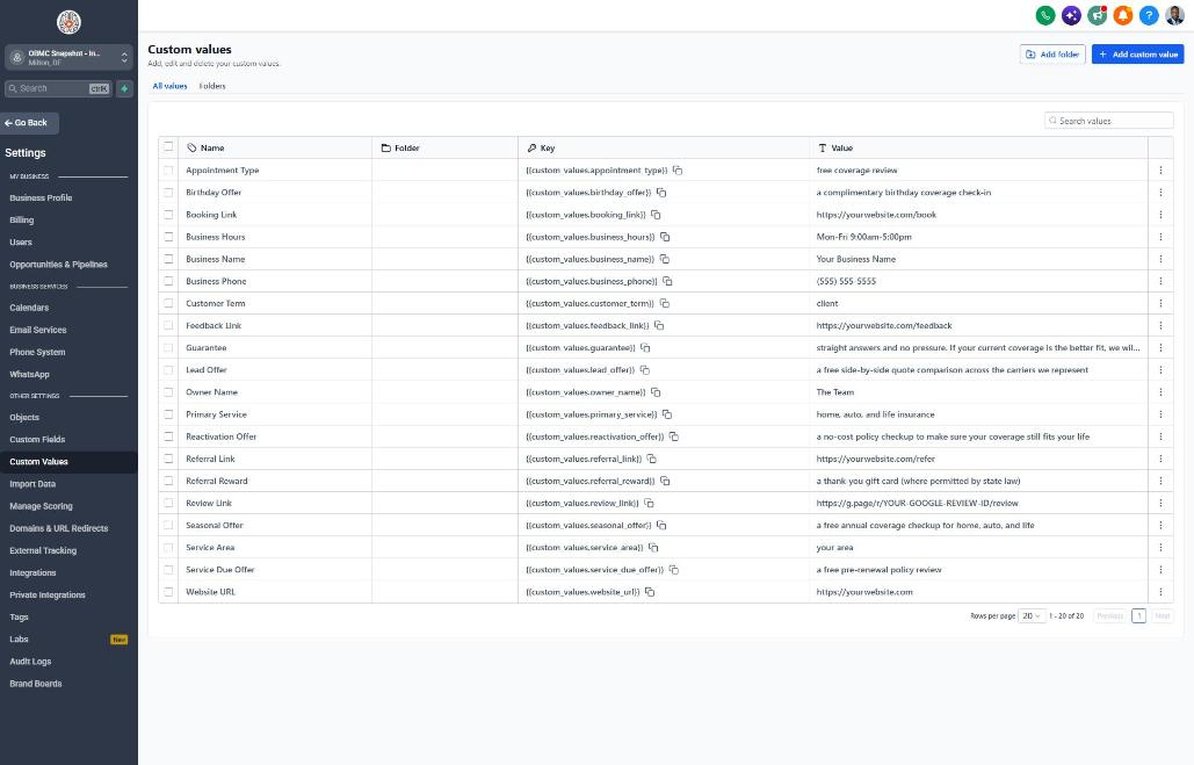
- Go to Settings > Custom Values and fill in business name, owner name, phone, and all four links
- Review the Lead Offer, Guarantee, and Referral Reward values and adjust for your state's rules
- Upload the agency logo in Settings > Business Profile so forms and emails match your brand
Lesson 2 of 6
Capture Quote Requests and Respond in Moments
Get every quote request into GHL and contacted before competing agents call.
- Open Sites > Forms > Builder, edit Request a Quote, and confirm the Lines of Interest, Current Carrier, and Renewal Date fields
- Embed the form on your website's quote page and connect Facebook lead forms under Settings > Integrations
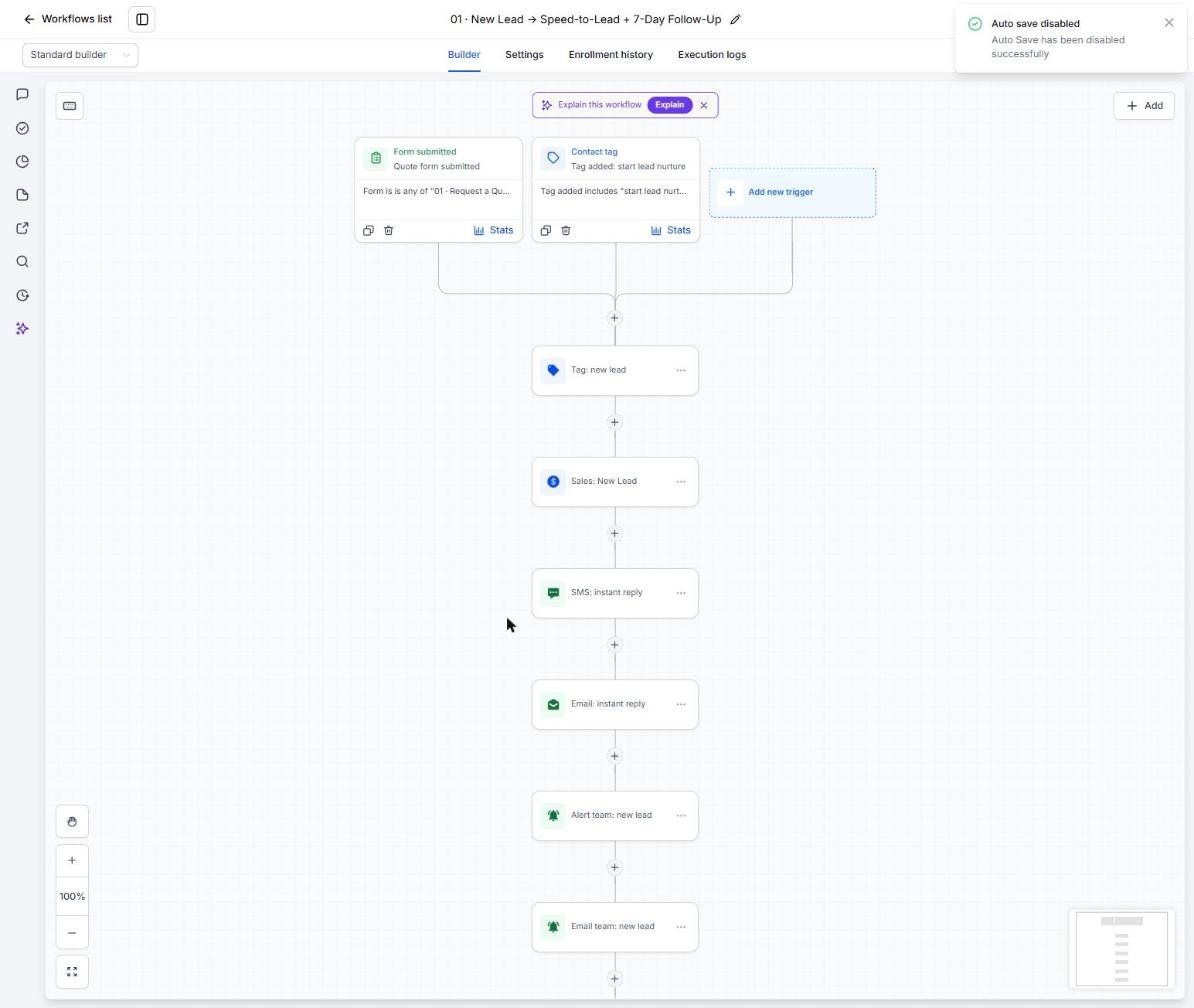
- Open Automation > Workflows > 01 New Lead and confirm the trigger points to your quote form
- Open workflow 02 Missed Call and make sure your number forwards to the office line
- Submit a test quote request and confirm the text, email, and New Quote Request opportunity appear
Lesson 3 of 6
Book Coverage Reviews and Recover No-Shows
Fill producer calendars with prepared prospects who show up.
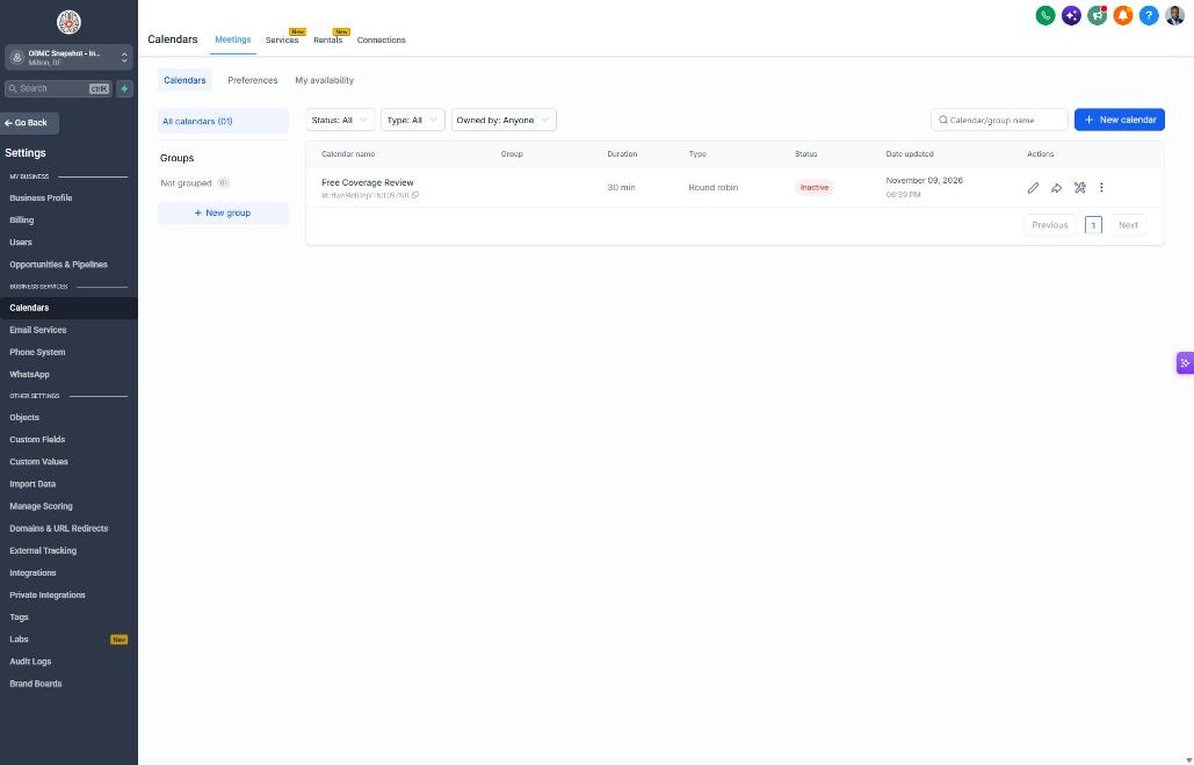
- Go to Calendars > Calendar Settings and open Free Coverage Review
- Assign producers, set availability and a 30-minute duration with buffers
- Paste the calendar link into Settings > Custom Values > Booking Link
- Open workflow 04 and confirm the reminders ask clients to have declarations pages ready
- Mark a test appointment as no-show and confirm workflow 05 sends the reschedule sequence
Lesson 4 of 6
Work the Quote Pipeline and Follow Up Until Bound
See every quote by stage and never let a 'thinking about it' prospect go quiet.
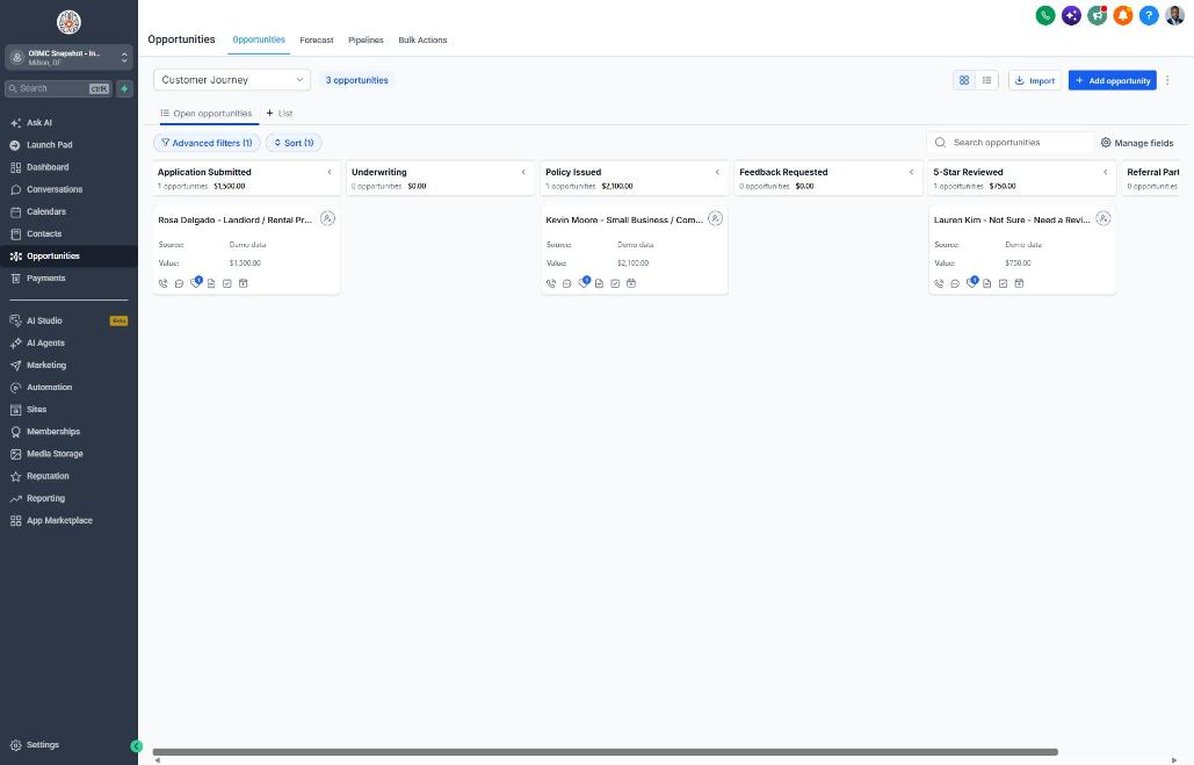
- Open Opportunities > Pipelines > Sales Pipeline and review stages from New Quote Request to Policy Bound
- Drag a test opportunity to Quote Sent and confirm workflow 07 starts the follow-up sequence
- Set the stale deal timing in workflow 18 so producers get alerts on quotes idle for 3+ days
- Move a test deal to Policy Bound and confirm workflow 08 sends the welcome and starts the policy journey
- Move a deal to Not Bound and confirm workflow 09 enrolls it in the 30/60/90-day nurture
Lesson 5 of 6
Reviews, Referrals, and Reactivating Your Book
Turn bound clients into Google reviews and introductions, and wake up old quotes.
- Go to Reputation > Settings, connect Google Business Profile, and paste the review link into Custom Values
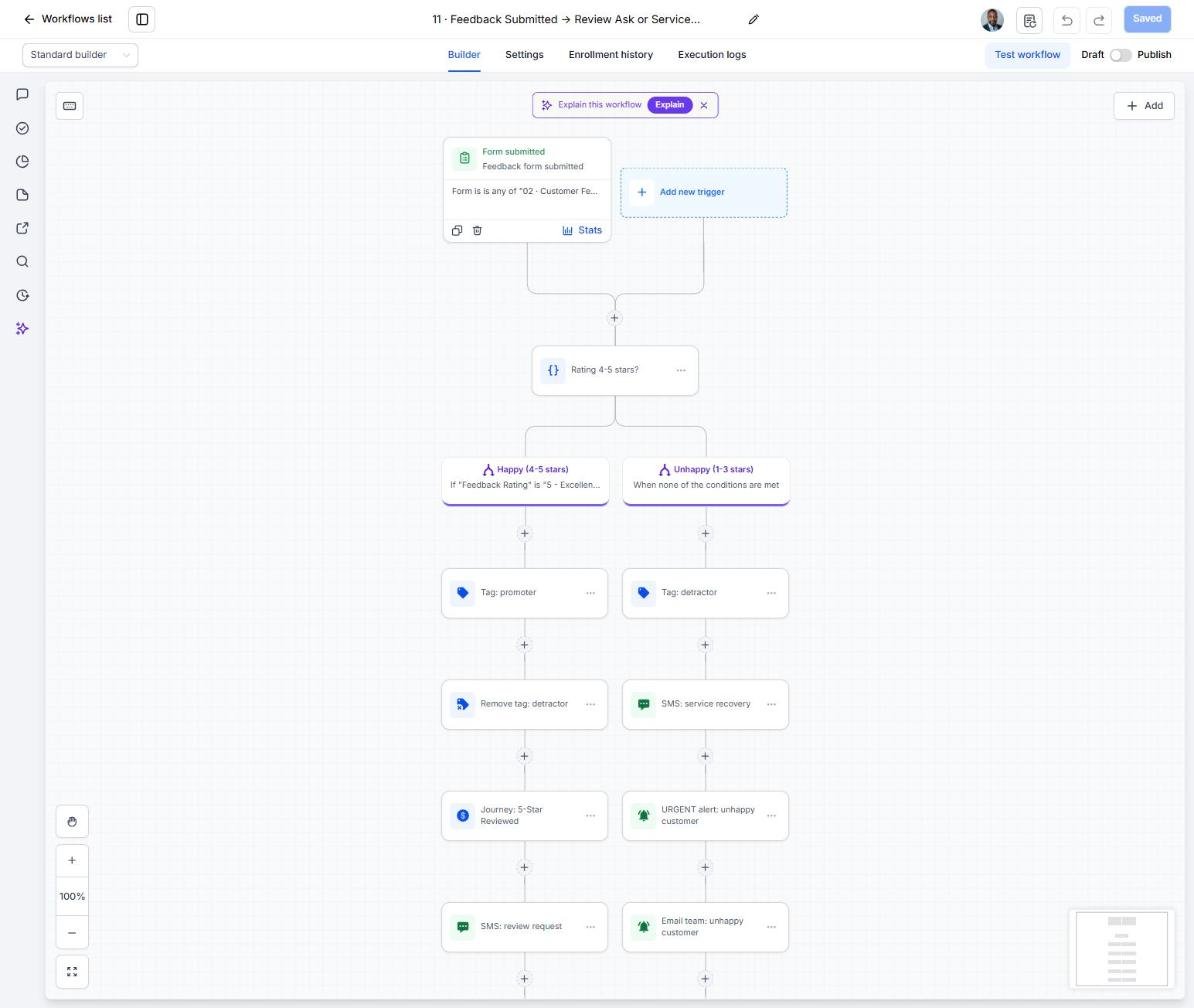
- Open workflow 11 and set the owner alert for 1-3 star feedback
- Confirm the referral reward wording in workflow 12 matches what your state permits
- Import old quotes and lapsed clients with consent in Contacts > Import and tag them 'reactivation'
- Open workflow 14 and enroll the tagged list in small daily batches
Lesson 6 of 6
Launch Renewals and Account Rounding
Turn your existing book into steady new policies with renewal reviews and cross-sell.
- Import or update the Policy Renewal Date and Policies In Force fields for current clients in Contacts
- Open workflow 19 and set the trigger 30-45 days before Policy Renewal Date
- Build a Smart List in Contacts for clients with Policies In Force = 1 line
- Enroll that list in workflow 21 Account Rounding in weekly batches
- Schedule workflow 20 for January and September, then check bound policies and reviews monthly in Reporting
Launch your next insurance client this week
One-time $397. Includes the snapshot, both PDFs, the walkthrough and the mini-course. Or get all 20 niches for $1,997.