
❄️ GoHighLevel snapshot · HVAC (heating and cooling)
HVAC snapshot mini-course
Six short visual lessons. Follow along in your own GoHighLevel account and you’ll be live by lesson 6.
Lesson 1
Install the snapshot and brand it for an HVAC shop
Lesson 2Lead capture, missed calls and emergencies
Lesson 3Booking service visits and reducing no-shows
Lesson 4Replacement estimates and the sales pipeline
Lesson 5Reviews, referrals and reactivation
Lesson 6Launch and grow the maintenance plan
Lesson 1 of 6
Install the snapshot and brand it for an HVAC shop
Load the snapshot and make every message sound like the HVAC company.
- In the agency view, go to Sub-Accounts and choose Load Snapshot on the HVAC client's account
- Go to Settings > Business Profile and set the name, address and time zone
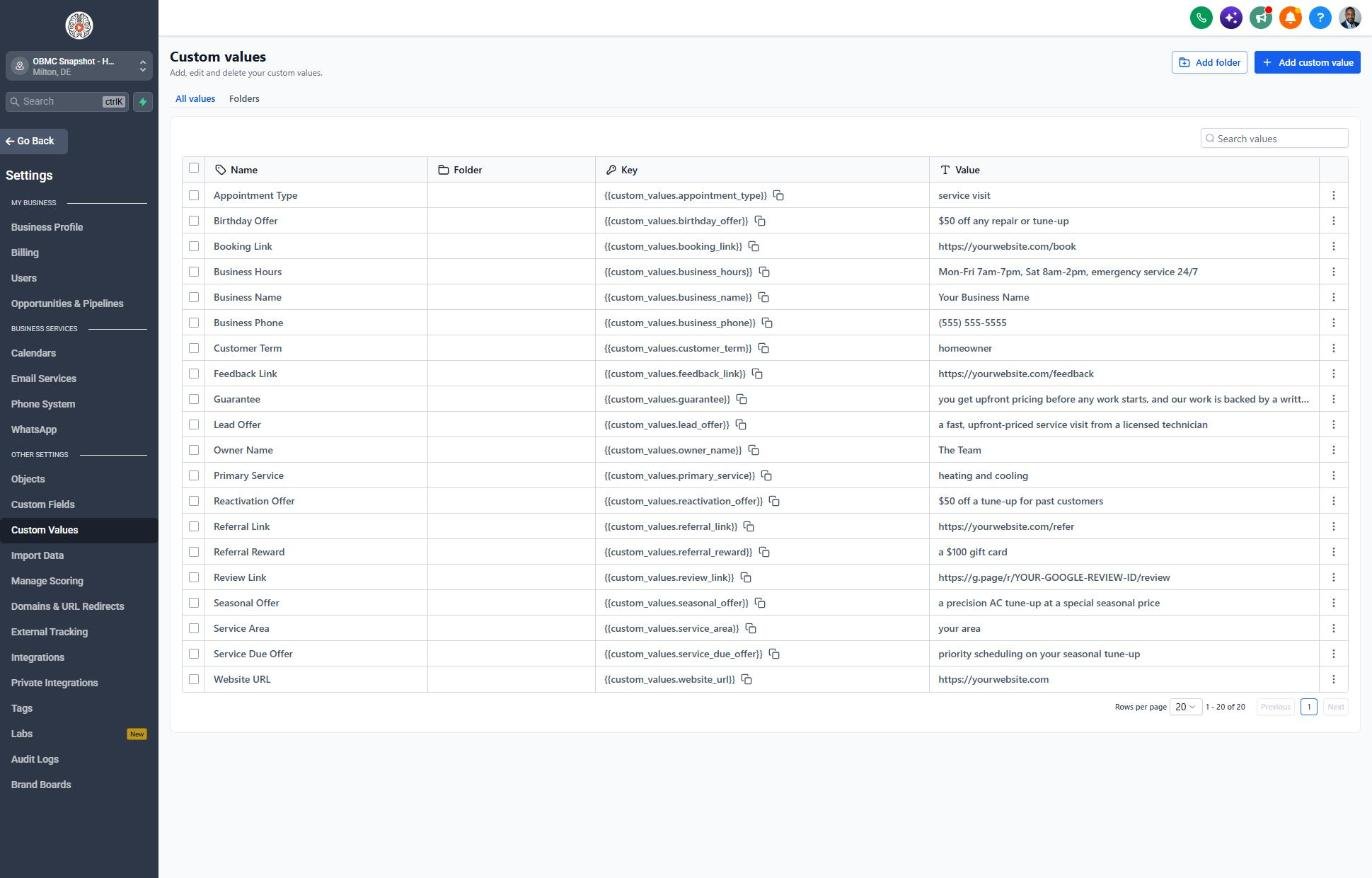
- Go to Settings > Custom Values and fill in business details and service area
- Set the tune-up, reactivation and referral offers in Custom Values
- Go to Settings > Email Services and verify a sending domain
Lesson 2 of 6
Lead capture, missed calls and emergencies
Make sure every web lead and missed call gets an instant reply and emergencies get called first.
- Go to Sites > Forms > Builder and confirm the Issue Urgency, System Type and System Age questions
- Embed the form on the website and add the SMS consent checkbox
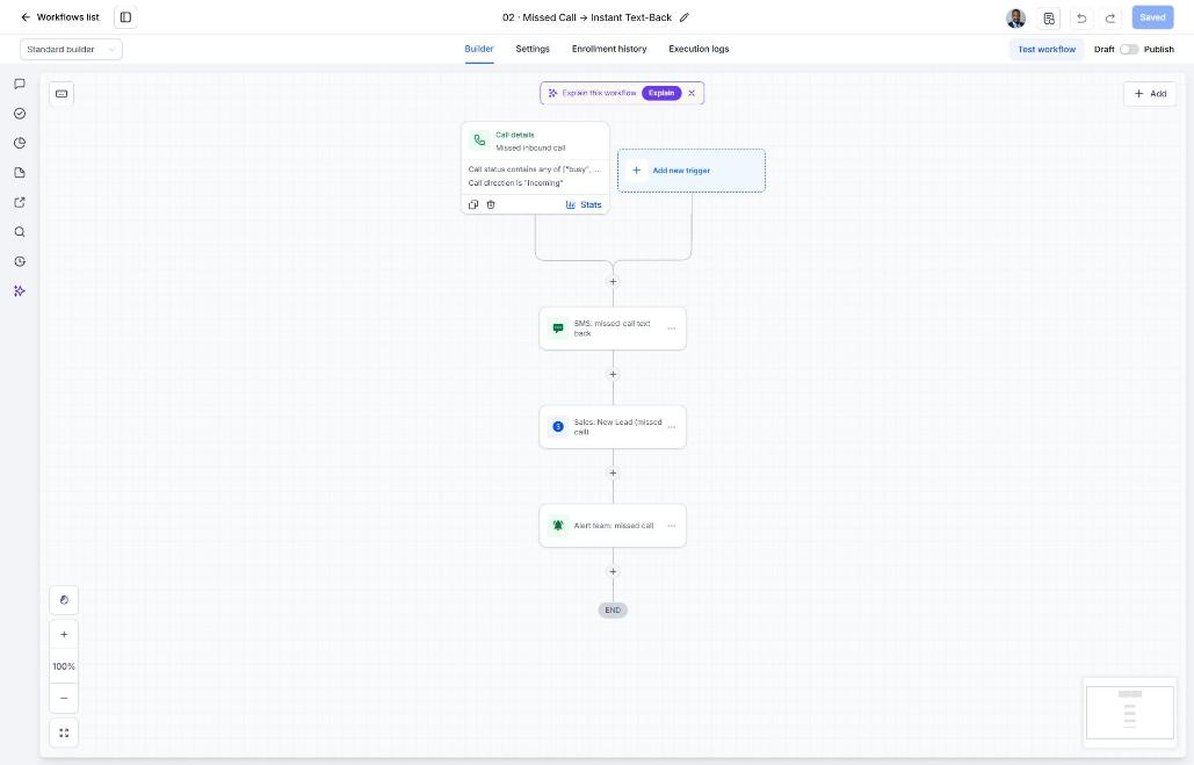
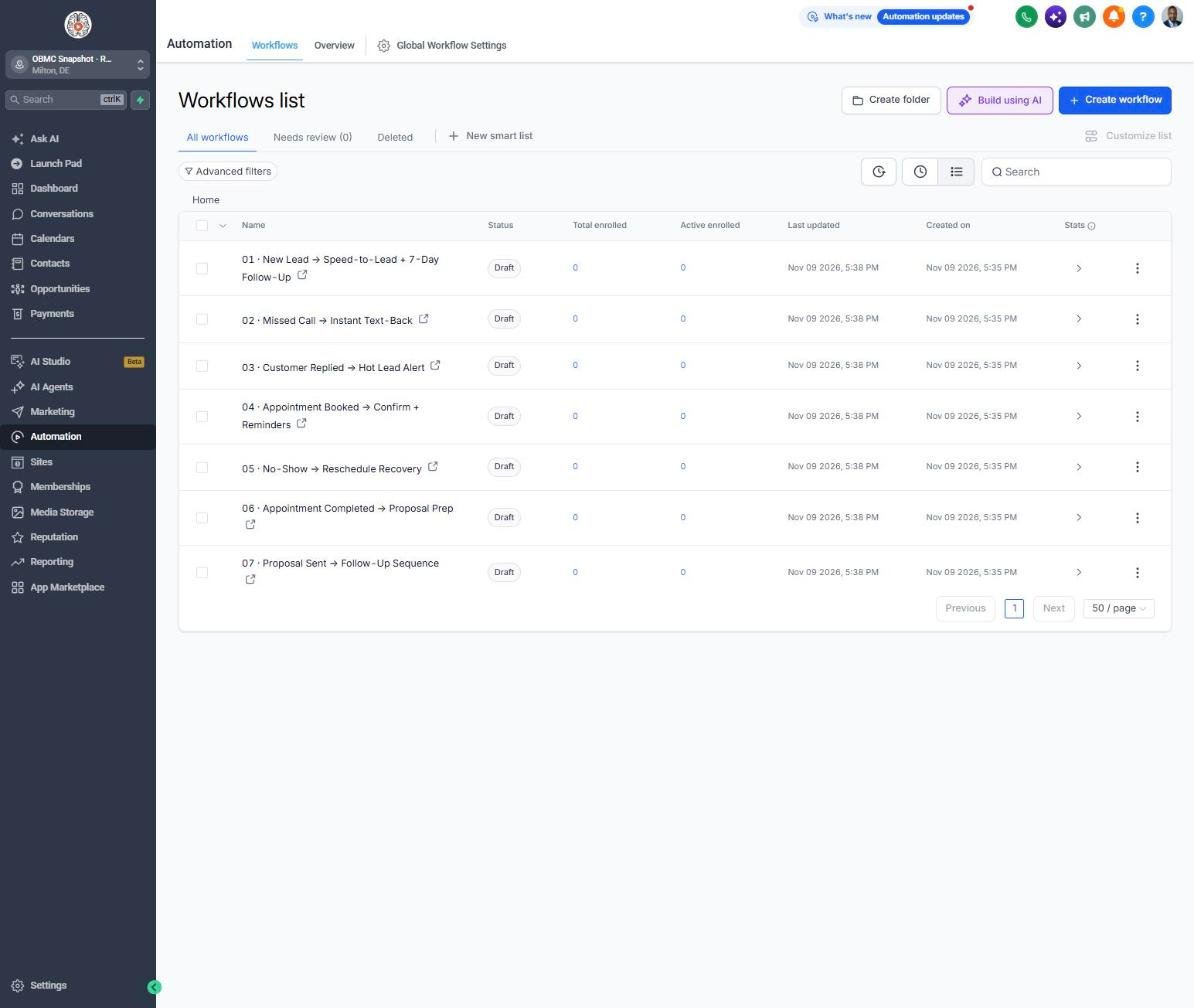
- Go to Automation > Workflows, open 02 Missed Call and point the alert at the dispatcher
- Open 01 New Lead and confirm the URGENT reply instruction and team alert
- Test by calling the business number and hanging up, then publish both workflows
Lesson 3 of 6
Booking service visits and reducing no-shows
Fill the tech schedule and keep techs from driving to empty houses.
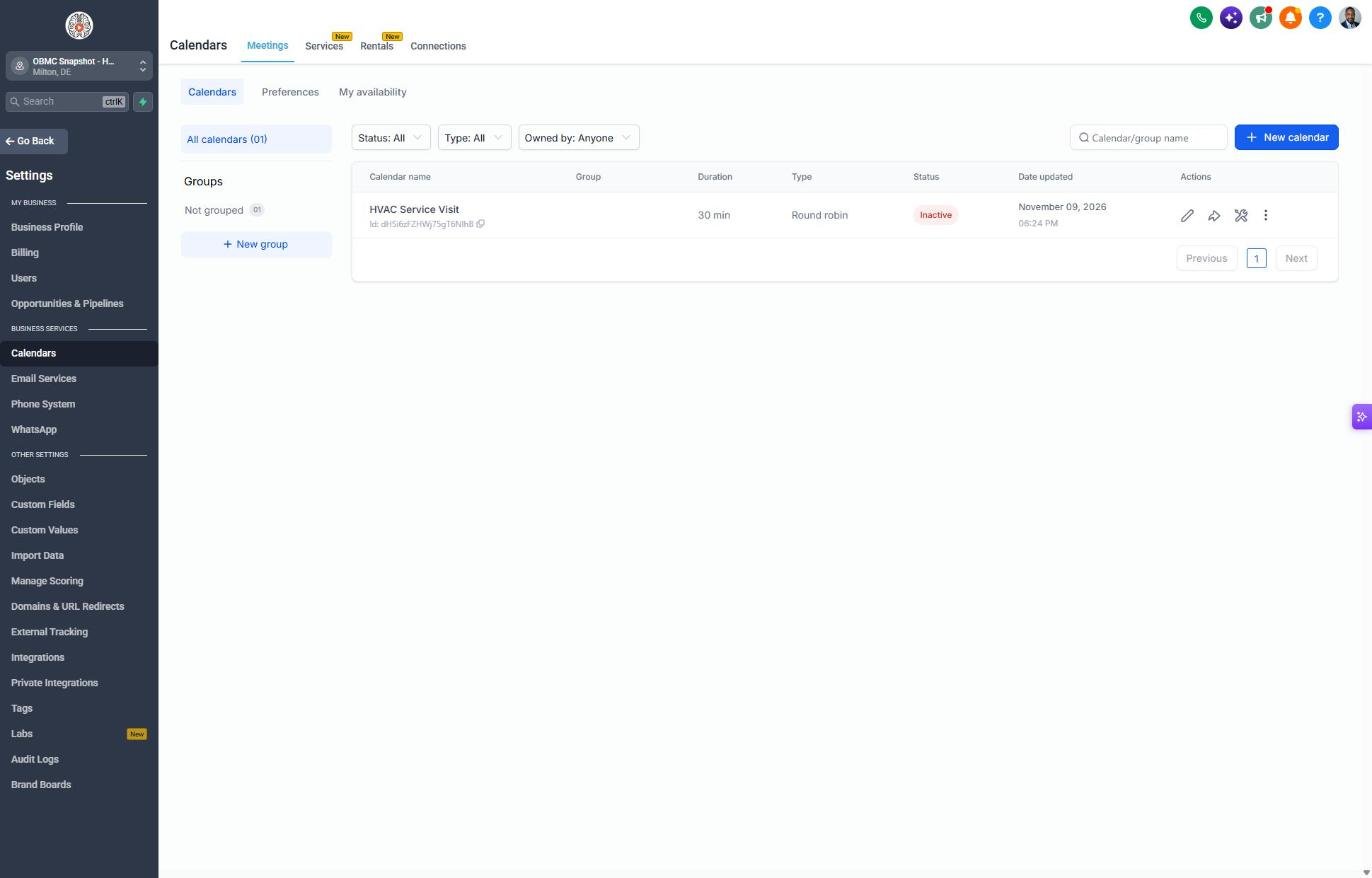
- Go to Calendars > Calendar Settings and open HVAC Service Visit
- Assign techs, set arrival windows and service hours
- Copy the booking link into the booking_link custom value
- Open workflow 04 and review the confirmation and reminder texts
- Publish workflow 05 so missed visits get rebooked automatically
Lesson 4 of 6
Replacement estimates and the sales pipeline
Follow up on every replacement estimate until it's won or lost.
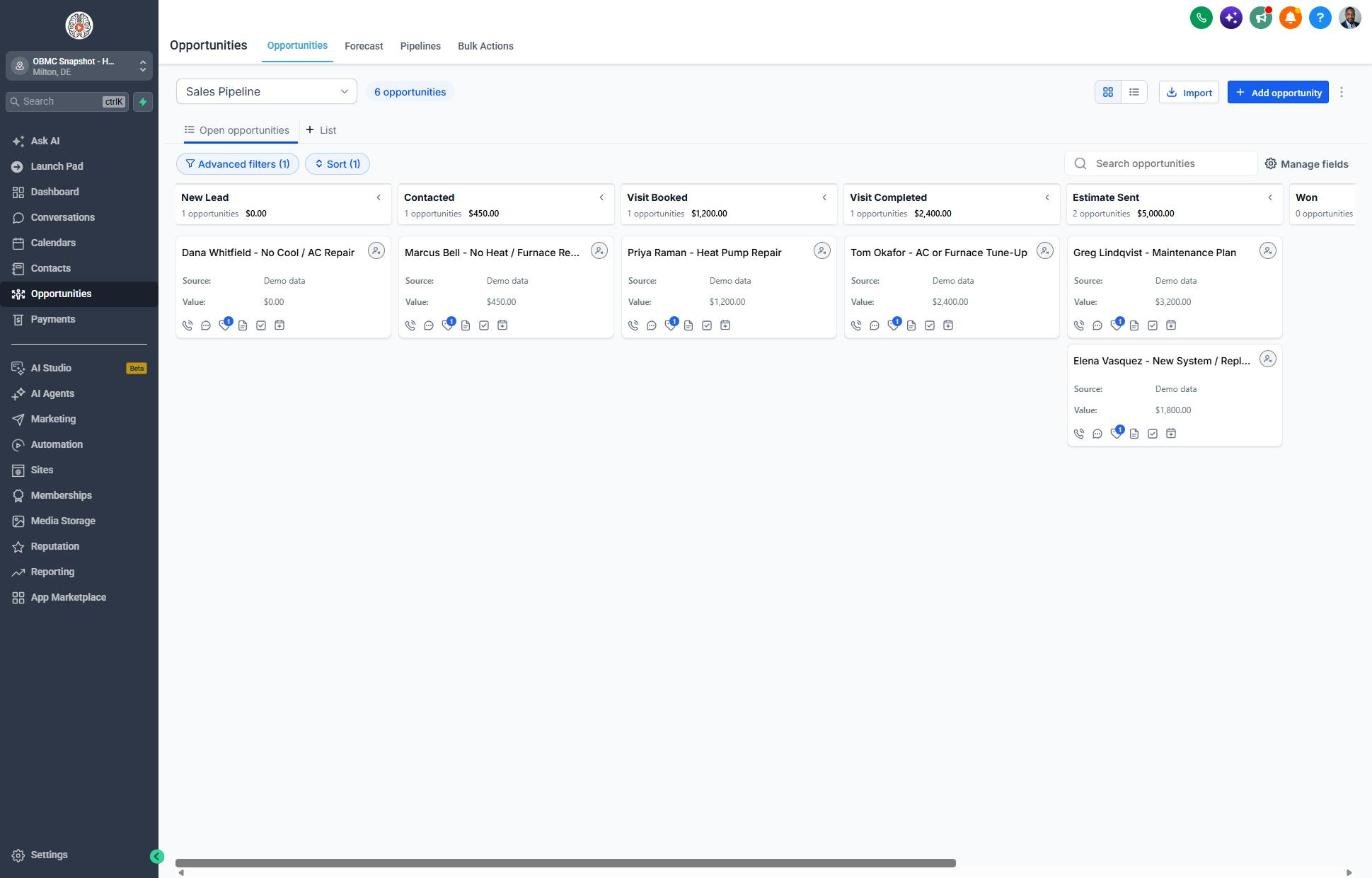
- Go to Opportunities > Pipelines and review the Sales Pipeline stages
- Move a test deal to Estimate Sent and confirm workflow 07 starts
- Update workflow 07's email to mention the rebates and financing you actually offer
- Review workflow 18 so stale estimates alert the owner after 7 days
- Train comfort advisors to mark deals Won or Lost the same day
Lesson 5 of 6
Reviews, referrals and reactivation
Turn service calls into reviews and past customers into booked tune-ups.
- Go to Reputation > Settings and paste the Google review link into the review_link custom value
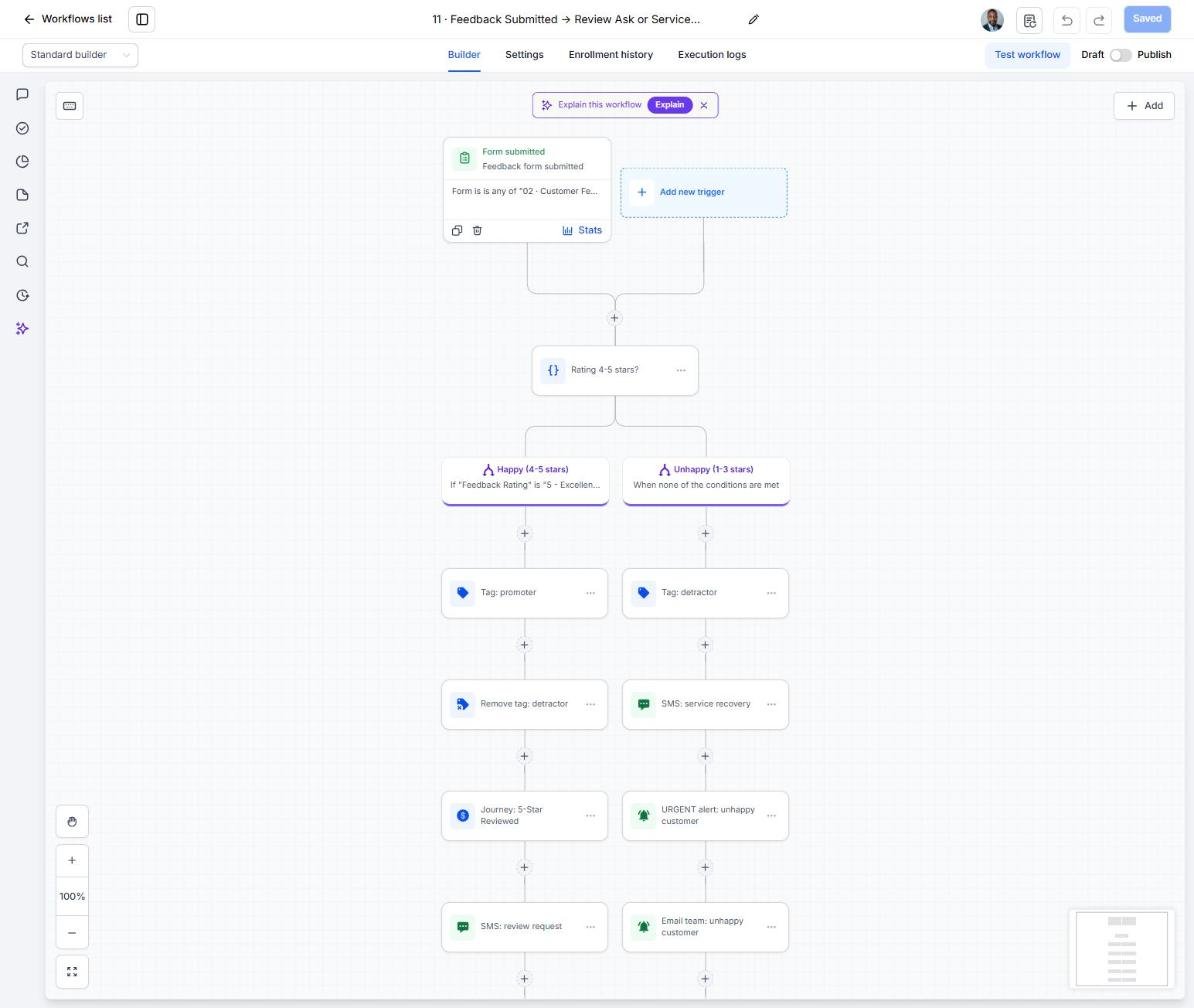
- Open workflow 11 and confirm 4-5 star ratings go to Google and 1-3 star ratings alert the owner
- Import past customers under Contacts > Import with their last tune-up dates
- Open workflow 14 and launch the reactivation offer to a small batch first
- Check replies in Conversations and book them right away
Lesson 6 of 6
Launch and grow the maintenance plan
Go live and use the Maintenance Plan Enrollment campaign to build recurring revenue.
- Run a full test: form, booking, missed call and reply
- Go to Contacts and build a smart list of customers who are not plan members
- Open workflow 21 Maintenance Plan Enrollment and confirm the trigger and plan details in the copy
- Add the trigger to completed jobs so every new customer gets the invitation
- Launch a batch campaign each spring and fall and track enrollments on the Dashboard
Launch your next hvac client this week
One-time $397. Includes the snapshot, both PDFs, the walkthrough and the mini-course. Or get all 20 niches for $1,997.