
🎯 GoHighLevel snapshot · Coaches & Consultants
Coaching snapshot mini-course
Six short visual lessons. Follow along in your own GoHighLevel account and you’ll be live by lesson 6.
Lesson 1
Install the Snapshot and Make It Sound Like You
Lesson 2Capture Leads and Follow Up in Moments
Lesson 3Book Discovery Calls and Recover No-Shows
Lesson 4Run the Enrollment Pipeline and Offer Follow-Up
Lesson 5Reviews, Referrals, and Alumni Reactivation
Lesson 6Launch Webinar Follow-Up and Program Renewals
Lesson 1 of 6
Install the Snapshot and Make It Sound Like You
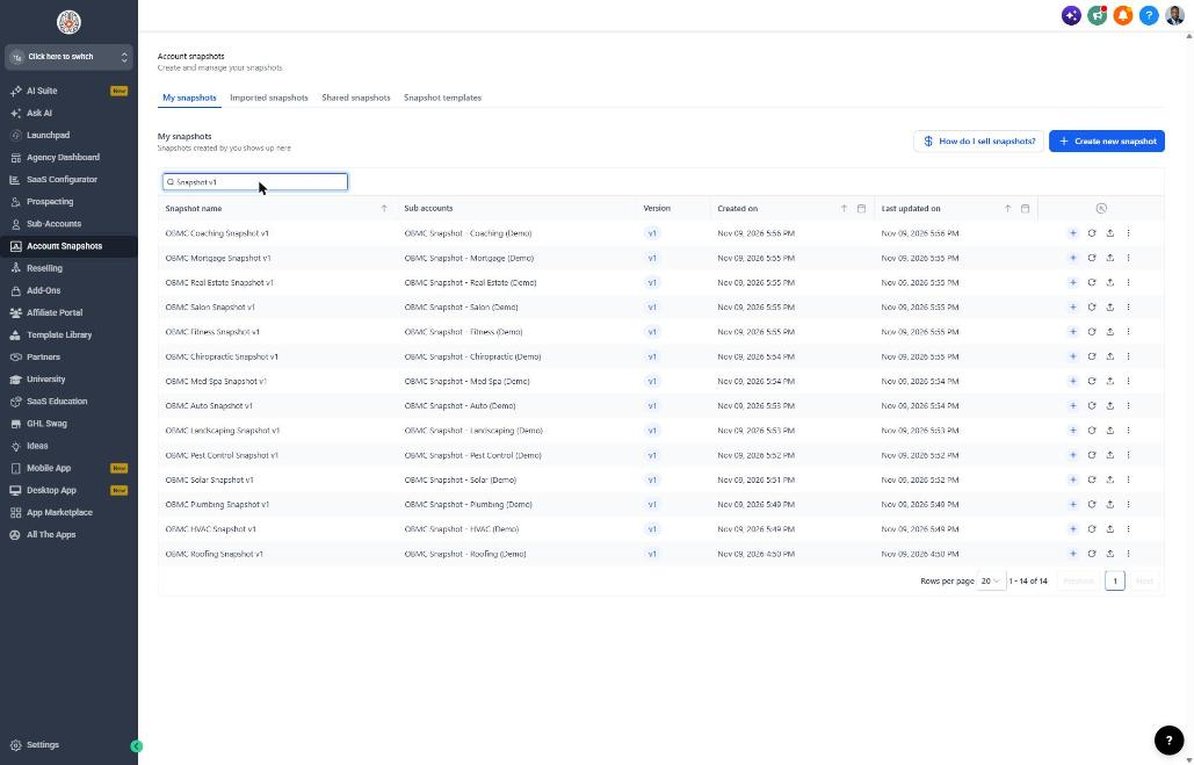
Load the snapshot and put every message in the coach's own voice.
- Go to Agency view > Account Snapshots and load the OBMC Coaching snapshot
- Open Settings > Business Profile and set business name, phone, and time zone
- Go to Settings > Custom Values and fill in owner name, links, and offer values
- Set the email from name to the coach's full name in Settings > Email Services
- Read through workflow 01 messages in Automation > Workflows and adjust phrases to match the coach's voice
Lesson 2 of 6
Capture Leads and Follow Up in Moments
Get every lead from forms, DMs, and calls into a consistent follow-up.
- Open Sites > Forms > Builder and edit the lead form with Program Interest, Biggest Challenge, and Timeline to Start
- Embed the form on the website and link-in-bio page
- Connect Facebook and Instagram in Settings > Integrations so DMs land in Conversations
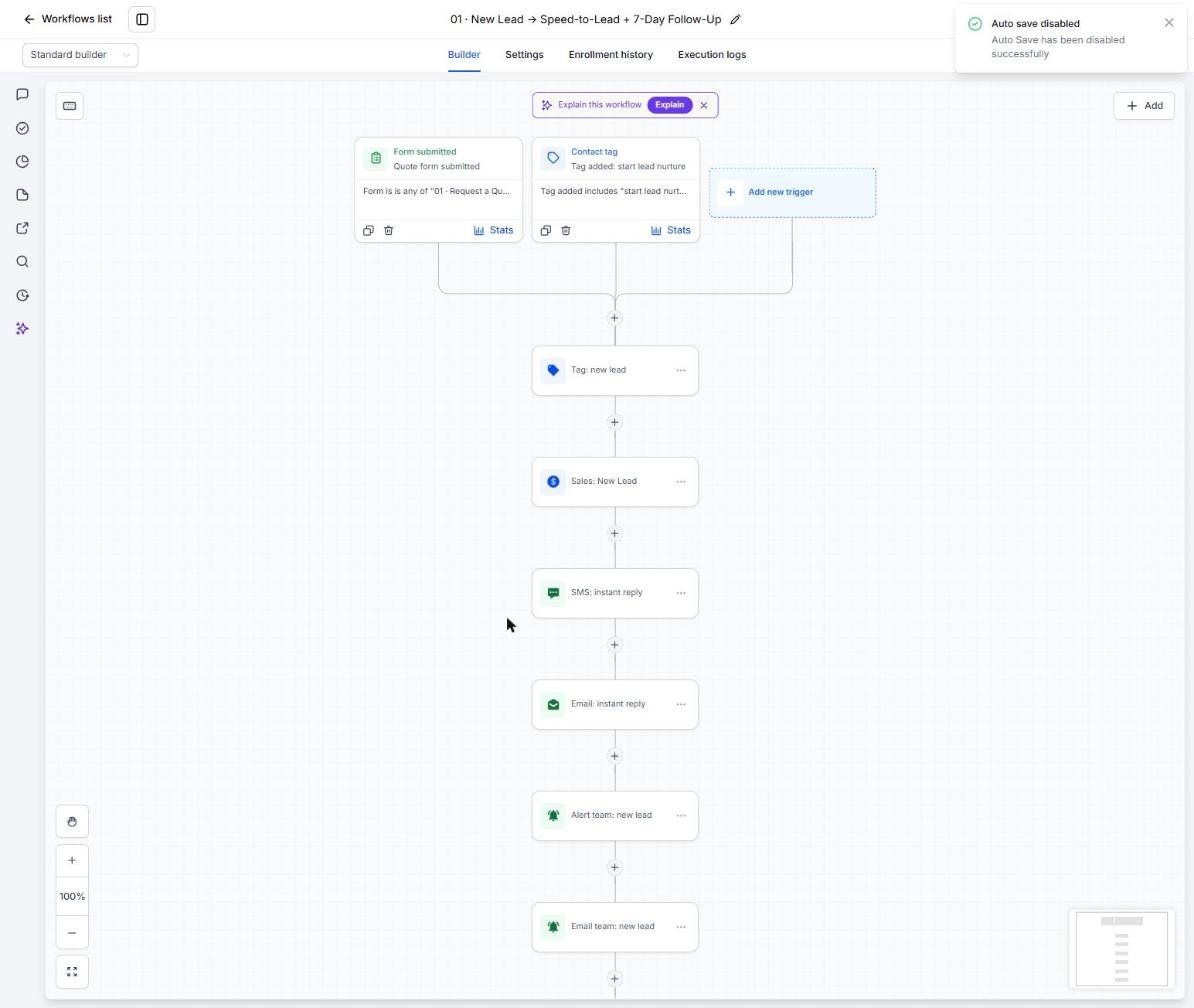
- Open Automation > Workflows > 01 New Lead and confirm the trigger and owner notification
- Submit a test lead and confirm the text, email, and new opportunity
Lesson 3 of 6
Book Discovery Calls and Recover No-Shows
Fill your calendar with prepared leads who show up.
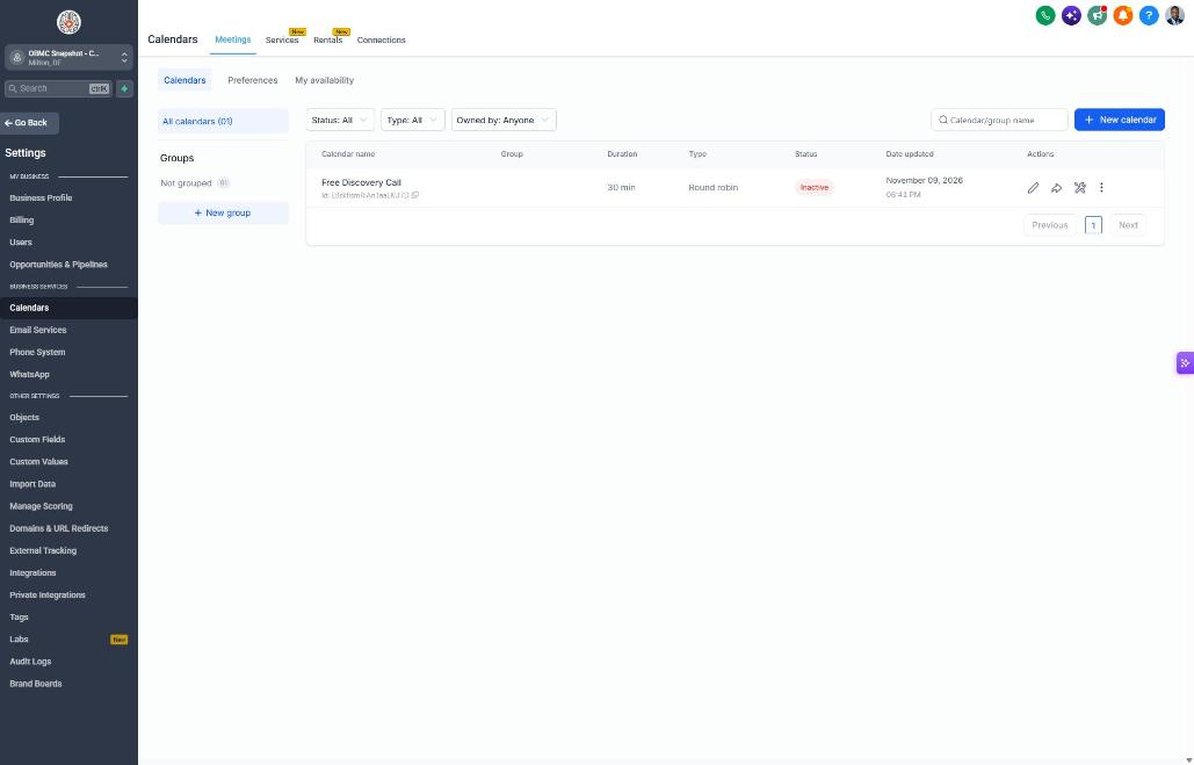
- Go to Calendars > Calendar Settings and open Free Discovery Call
- Set availability, 30-45 minute duration, buffers, and a video meeting location
- Paste the calendar link into Settings > Custom Values > Booking Link
- Open workflow 04 and confirm the prep questions match your call structure
- Mark a test call as no-show and confirm workflow 05 sends the reschedule sequence
Lesson 4 of 6
Run the Enrollment Pipeline and Offer Follow-Up
Move every lead from call to decision with consistent follow-up.
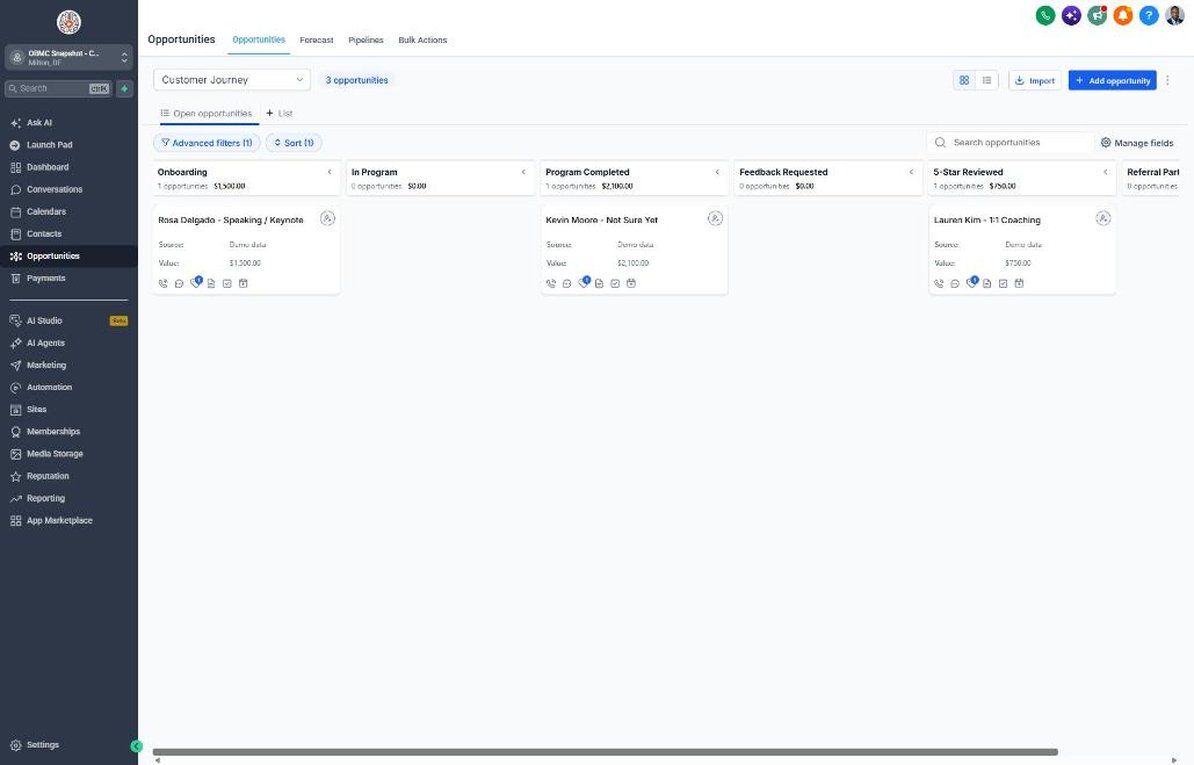
- Open Opportunities > Pipelines > Sales Pipeline and review stages from New Lead / Applicant to Enrolled
- Move a test deal to Offer Sent and confirm workflow 07 begins
- Set workflow 18 to alert you about offers with no response after 3 days
- Move a test deal to Enrolled and confirm workflow 08 sends onboarding steps
- Connect Stripe in Payments > Integrations so payment plans trigger workflows 15 and 16
Lesson 5 of 6
Reviews, Referrals, and Alumni Reactivation
Turn graduates into reviews and introductions, and bring past leads back.
- Go to Reputation > Settings and connect Google Business Profile, or set Review Link to a testimonial form
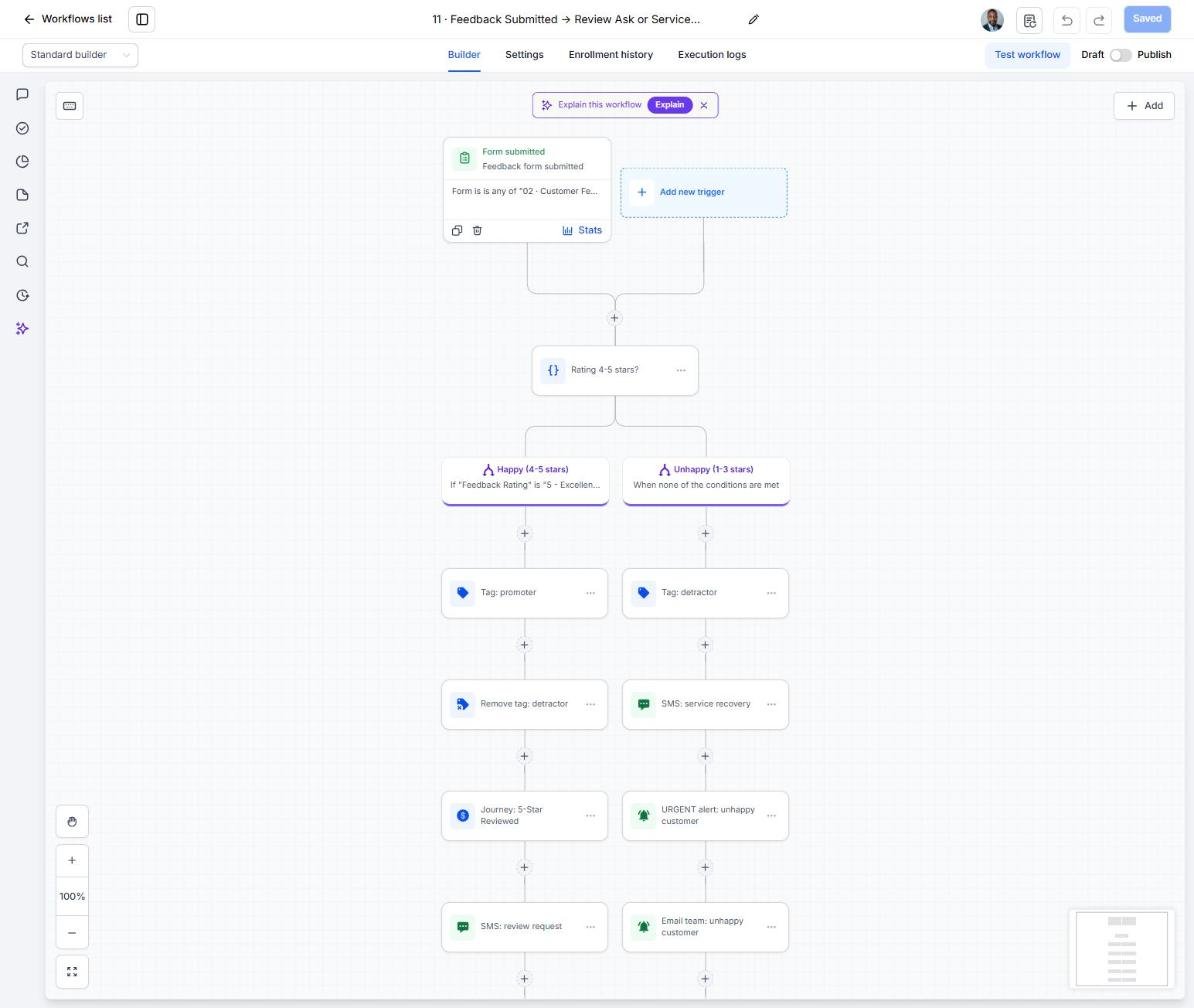
- Open workflow 11 and set your private alert for 1-3 star feedback
- Set the Referral Reward custom value to a bonus you're happy to give
- Import past leads and alumni in Contacts > Import and tag them 'reactivation'
- Enroll the tagged list in workflow 14 in small daily batches
Lesson 6 of 6
Launch Webinar Follow-Up and Program Renewals
Make every live event and program ending produce booked calls.
- Open workflow 21 and set the trigger to your webinar or challenge registration form or tag
- Add If/Else branches on Event Attendance for live attendees, replay viewers, and no-shows
- Add Program End Date to current clients in Contacts and confirm workflow 19 fires 2-4 weeks before it
- Schedule workflow 20 for late December and mid-August planning seasons
- After each event, compare registrants, calls booked, and enrollments in Opportunities and Reporting
Launch your next coaching client this week
One-time $397. Includes the snapshot, both PDFs, the walkthrough and the mini-course. Or get all 20 niches for $1,997.